Route every new urology referral to the right provider fast
Every morning, WebRun opens AdvancedMD, reviews new urology patient referrals and self-scheduled appointments received since the last run, checks whether intake forms have been completed, flags incomplete intakes for staff to chase, and posts a routing summary to Slack so each new patient is assigned to the right provider without delay.
- No credit card
- Under $0.01 per run
- Cancel anytime
How do I automatically route new urology referrals to the right provider and flag missing intake?
WebRun opens AdvancedMD each morning to review all new urology referrals and self-scheduled new patients received since the last run. It checks intake form completion, notes insurance verification status, and posts a provider routing summary to Slack. Patients with incomplete intake are flagged separately so staff can chase the gaps before the appointment.
- Every new referral is reviewed and routed within one business day
- Staff see intake gaps before the appointment, not on arrival day
- Provider schedules stay balanced with structured routing recommendations
Built for urology intake coordinators · urology office managers · urology front desk staff · urology practices
What does WebRun do on every run?
The exact actions WebRun takes, in order - in plain language, so you can adjust anything.
-
WebRun signs in and gets to work
Opens
login.advancedmd.comin a real browser with your saved login - no setup, no API keys. -
1
AdvancedMD - review new referrals and intake completeness, assign routing
advancedmd.com How to Automate AdvancedMD
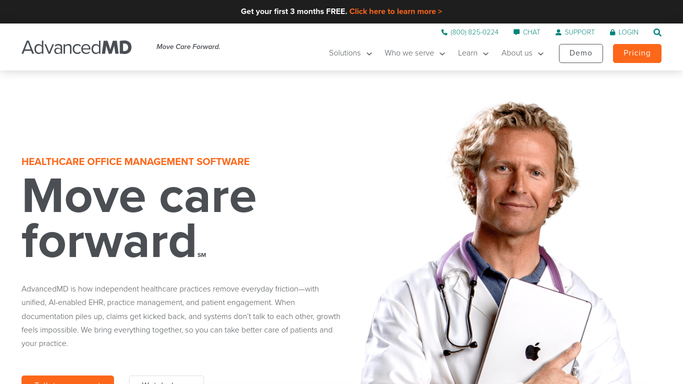
WebRun opens AdvancedMD to review new referrals and intake completeness, assign routing. - Open AdvancedMD and navigate to the new referral and new patient queue for urology
- Identify all new referrals and self-scheduled new patient appointments received since the last run
- Check each new patient record for completed intake forms and insurance verification status
- Flag patients with incomplete intake documentation so staff can chase the missing information
- Note the referral source, reason for visit, and appropriate provider based on specialty and availability
Done when Every new urology referral is reviewed with routing recommendation and intake status documented.
-
2
Slack - post routing summary and flag incomplete intakes
slack.com How to Automate Slack

WebRun opens Slack to post routing summary and flag incomplete intakes. - Post a routing summary to the urology intake Slack channel showing new referral count, provider assignments, and intake completion status
- Separately list patients with incomplete intake forms or missing insurance verification so staff can chase
Done when Staff see new patient counts, routing assignments, and outstanding intake tasks in Slack.
How is each run configured?
Secure by default
Connect once, stays signed in
WebRun signs in once and keeps each session in a persistent environment, so every run picks up right where it left off.
Every action is checked against this policy before it runs.
Questions, answered
Does it send anything to new patients automatically?
No. WebRun only posts an internal Slack routing summary. Any welcome messages, intake form requests, or scheduling confirmations sent to the patient are handled by staff after reviewing the routing summary.
How does it decide which provider to recommend for each referral?
It uses the referral reason and appointment type in AdvancedMD to match against provider specialty. For practices with multiple providers, you configure provider preferences and availability in your WebRun settings before the first run.
What happens if an intake form is missing?
Patients with incomplete intake forms are listed separately in the Slack summary so staff can contact them to complete the forms before their appointment, avoiding delays on the day of the visit.
Related templates
Put this on autopilot.
Turn it on in minutes - or have our team set it up for you.