Reconcile Uber receipts against your team's calendar
Every morning, WebRun pulls the team's Uber ride history from the last 24 hours, checks each ride against the rider's Google Calendar for a matching meeting, and posts a list of unmatched rides to Microsoft Teams for finance to review.
- No credit card
- Under $0.01 per run
- Cancel anytime
How do I reconcile Uber ride receipts against employee calendars for expenses?
WebRun pulls your team's Uber ride receipts every morning, checks each one against the rider's Google Calendar for a matching meeting near the pickup time, and reports rides with no match to Microsoft Teams. Finance gets a daily exception list instead of manually cross-checking every ride against the calendar by hand.
- Rides with no matching meeting get flagged the next morning, not at month end
- Finance reviews a short exception list instead of every ride
- Fare anomalies above the normal range are called out for a second look
Built for Finance and operations teams · Small business owners · Bookkeepers · Office managers approving expenses
What does WebRun do on every run?
The exact actions WebRun takes, in order - in plain language, so you can adjust anything.
-
WebRun signs in and gets to work
Opens
www.uber.comin a real browser with your saved login - no setup, no API keys. -
1
Uber - pull yesterday's ride receipts
uber.com
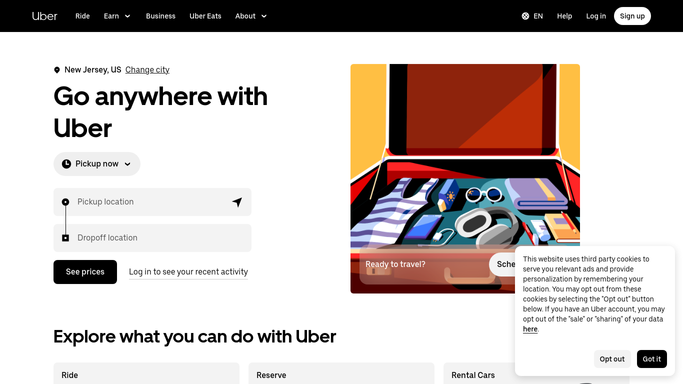
WebRun opens Uber to pull yesterday's ride receipts. - Open Uber and pull the ride history for the last 24 hours
- Note the rider, cost, pickup and drop-off time for each ride
- Flag rides above the normal fare range for review
Done when Every ride from the last 24 hours has been pulled.
-
2
Google Calendar - match rides to scheduled meetings
calendar.google.com How to Automate Google Calendar

WebRun opens Google Calendar to match rides to scheduled meetings. - Check each rider's calendar for a meeting near the ride's pickup or drop-off time
- Match rides that line up with a scheduled meeting
- Leave unmatched rides flagged as exceptions
Done when Every ride has been checked against the rider's calendar.
-
3
Microsoft Teams - report unmatched rides
microsoft.com How to Automate Microsoft Teams

WebRun opens Microsoft Teams to report unmatched rides. - Post a short list of rides with no matching meeting
- Include the rider, cost, and time for each exception
- Leave approval or follow-up to the finance team
Done when Finance has today's list of unmatched rides in Teams.
How is each run configured?
Secure by default
Connect once, stays signed in
WebRun signs in once and keeps each session in a persistent environment, so every run picks up right where it left off.
Every action is checked against this policy before it runs.
Questions, answered
Will it approve or reject an expense for us?
No. WebRun only flags rides with no matching meeting. Approving, rejecting, or querying an expense stays with your finance team.
What counts as a matching meeting?
A calendar entry scheduled near the ride's pickup or drop-off time and location counts as a match. Anything else is reported as an exception for a human to review.
Does it read the content of anyone's calendar events?
It only reads the time, and where available the location, of each event to check for a match. It doesn't read notes, attendees, or attachments.
Related templates
Put this on autopilot.
Turn it on in minutes - or have our team set it up for you.