Never run out of critical parts with automatic reorder alerts
Every morning, WebRun opens Fullbay, scans the parts inventory for items at or below their reorder point, drafts a purchase order email to your parts supplier for each low-stock item, and posts your parts manager a Slack alert listing everything that needs to be ordered today.
- No credit card
- Under $0.01 per run
- Cancel anytime
How do I automatically get alerted and draft purchase orders when truck repair parts run low?
WebRun scans your Fullbay parts inventory every morning for items at or below their reorder threshold and drafts a purchase order email to the relevant supplier for each low-stock part. The parts manager gets a Slack alert listing everything that needs ordering today, with zero-quantity items flagged as critical, so your shop never runs out of parts mid-repair.
- Low-stock parts are caught every morning before a repair is delayed
- Supplier purchase orders are drafted and ready for one-click approval
- Zero-quantity items are flagged as critical so the most urgent reorders get done first
Built for truck repair shop owners · parts managers · heavy-duty service centers · fleet maintenance shops
What does WebRun do on every run?
The exact actions WebRun takes, in order - in plain language, so you can adjust anything.
-
WebRun signs in and gets to work
Opens
app.fullbay.comin a real browser with your saved login - no setup, no API keys. -
1
Fullbay - scan inventory for low-stock parts
fullbay.com How to Automate Fullbay
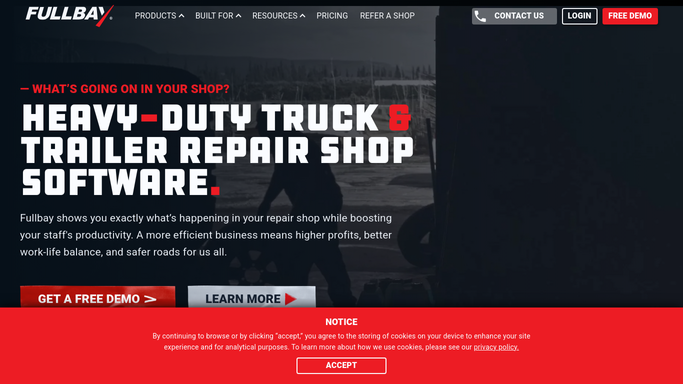
WebRun opens Fullbay to scan inventory for low-stock parts. - Open Fullbay and navigate to the Parts Inventory section
- Filter for parts whose current quantity is at or below the reorder threshold
- Capture the part number, description, current quantity, reorder quantity, and preferred supplier for each item
Done when Every low-stock part is listed with its reorder details and supplier information.
-
2
Gmail - draft purchase order to supplier
gmail.com How to Automate Gmail

WebRun opens Gmail to draft purchase order to supplier. - Draft a purchase order email to each supplier listing the parts to reorder with quantities
- Include part numbers, descriptions, and the delivery address
- Save each PO as a draft for the parts manager to review and send
Done when A draft purchase order is ready in Gmail for each supplier with items to reorder.
-
3
Slack - alert parts manager to reorder needs
slack.com How to Automate Slack

WebRun opens Slack to alert parts manager to reorder needs. - Post a reorder alert to the parts manager channel listing all low-stock items by supplier
- Flag any items with zero quantity as critical using a clear label
- Include the count of draft POs waiting for review
Done when The parts manager has a complete reorder list in Slack and knows how many PO drafts to approve.
How is each run configured?
Secure by default
Connect once, stays signed in
WebRun signs in once and keeps each session in a persistent environment, so every run picks up right where it left off.
Every action is checked against this policy before it runs.
Questions, answered
Will it send purchase orders to suppliers without someone reviewing them first?
No. Every purchase order is saved as a Gmail draft for the parts manager to review and send. Nothing is ordered or committed until a human approves it.
How does it know the right reorder quantity for each part?
It reads the reorder quantity already set on each part record in Fullbay. You set those thresholds once in your inventory, and WebRun uses them every run.
What if the same part is stocked from multiple suppliers?
It uses the preferred supplier recorded on the part in Fullbay. If no preference is set, it flags the item for the parts manager to assign a supplier before the PO is sent.
Related templates
Put this on autopilot.
Turn it on in minutes - or have our team set it up for you.