Keep fleet accounts informed on every truck in your shop
Every morning, WebRun opens Fullbay, reads the current status of every active work order for each fleet account, drafts a concise status update email for each fleet manager listing their trucks and where each repair stands, and alerts your service team in Slack so they know which updates are queued for review.
- No credit card
- Under $0.01 per run
- Cancel anytime
How do I automatically send fleet customers status updates on their trucks in the shop?
WebRun opens Fullbay each morning, reads the status of every active work order grouped by fleet account, and drafts a plain-language update email for each fleet manager in Gmail. Your service team gets a Slack alert showing which updates are queued for review, so fleet customers stay informed every day without a single manual call from your staff.
- Fleet managers get a daily update on every truck in your shop without a phone call
- Slipped completion dates are flagged automatically so customers are never surprised
- Service writers spend minutes reviewing drafts instead of hours writing update emails
Built for truck repair shops · fleet service managers · heavy-duty repair centers · commercial vehicle fleets
What does WebRun do on every run?
The exact actions WebRun takes, in order - in plain language, so you can adjust anything.
-
WebRun signs in and gets to work
Opens
app.fullbay.comin a real browser with your saved login - no setup, no API keys. -
1
Fullbay - read active work order statuses
fullbay.com How to Automate Fullbay
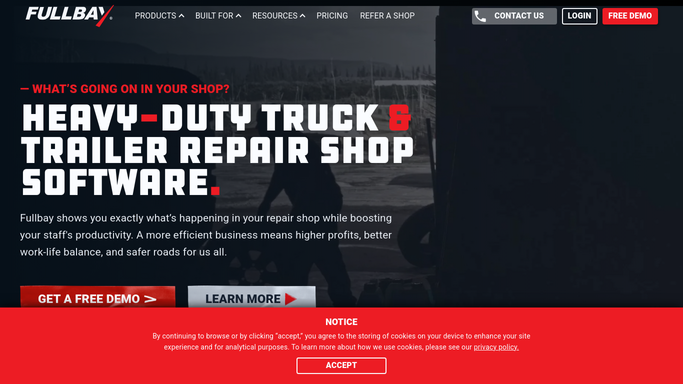
WebRun opens Fullbay to read active work order statuses. - Open Fullbay and navigate to the Work Orders board filtered to In Progress and Waiting on Parts statuses
- Group open work orders by fleet account
- Capture the unit number, repair description, current status, and estimated completion date for each vehicle
Done when All active work orders are grouped by fleet account with current status and ETA captured.
-
2
Gmail - draft status update to fleet manager
gmail.com How to Automate Gmail

WebRun opens Gmail to draft status update to fleet manager. - Draft a status update email for each fleet account listing their trucks currently in the shop
- For each unit, include the repair status in plain language and the estimated completion date
- Save each email as a draft for a service writer to review before sending
Done when A draft status update email is ready in Gmail for every active fleet account.
-
3
Slack - notify team of queued updates
slack.com How to Automate Slack

WebRun opens Slack to notify team of queued updates. - Post a summary to the service channel listing which fleet accounts have updates queued
- Flag any work orders where the completion date has slipped since the last update
- Include a count of draft emails waiting for review
Done when The service team has a Slack notification of all queued fleet status updates.
How is each run configured?
Secure by default
Connect once, stays signed in
WebRun signs in once and keeps each session in a persistent environment, so every run picks up right where it left off.
Every action is checked against this policy before it runs.
Questions, answered
Will it send status updates to fleet managers without my team reviewing them first?
No. Every status update is saved as a Gmail draft. A service writer reviews each one before it goes to the customer, ensuring accuracy and tone are right.
What if there is no change in status since yesterday's update?
It detects whether the status or ETA has changed since the last run. If nothing is new, it skips that vehicle so fleet managers only hear from you when there is something worth reporting.
Can it send updates for just one specific fleet account?
Yes. You can configure WebRun to target a single fleet account or a subset of accounts if you prefer to update some customers more frequently than others.
Related templates
Put this on autopilot.
Turn it on in minutes - or have our team set it up for you.