Start every day with a full translation project status digest
Every morning, WebRun opens XTRF and Smartcat, pulls the current status of all active translation projects, groups them by urgency and client, and posts a structured daily digest to your project management team in Slack so everyone starts the day with the same picture.
- No credit card
- Under $0.01 per run
- Cancel anytime
How do I automatically get a daily project status digest for my translation agency?
WebRun opens XTRF and Smartcat every morning, pulls the current status of all active translation projects, groups them by urgency, checks task completion percentages and blocking items in Smartcat, and posts a structured digest to your project management team in Slack. Every PM starts the day with the same up-to-date picture across all active work.
- Every project manager starts the day with the same ranked project list
- Blocking items and low-completion projects surface before they become late
- No manual status check across two systems every morning
Built for translation agencies · localization project managers · language service providers · LSP operations teams
What does WebRun do on every run?
The exact actions WebRun takes, in order - in plain language, so you can adjust anything.
-
WebRun signs in and gets to work
Opens
app.xtrf.euin a real browser with your saved login - no setup, no API keys. -
1
XTRF - pull all active project statuses
xtrf.eu
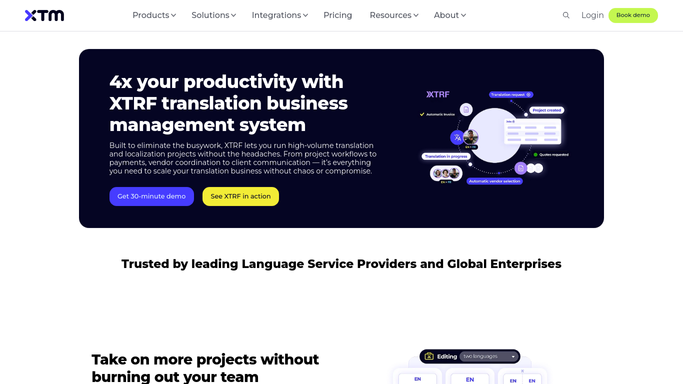
WebRun opens XTRF to pull all active project statuses. - Open XTRF and filter projects to Active status
- Capture the project name, client, language pair, current stage, deadline, and project manager for each
- Group projects into three buckets: due today, due within 48 hours, and due later this week
Done when Every active project is categorized by urgency with its key details recorded.
-
2
Smartcat - check task completion and blocking items
smartcat.com

WebRun opens Smartcat to check task completion and blocking items. - Open Smartcat and check the task completion percentage for each active project
- Note any tasks that are stuck, unaccepted, or have a blocked status
- Record any projects where completion percentage is low relative to the time remaining
Done when Each active project has a completion percentage and any blocking items are flagged.
-
3
Slack - post structured daily digest to project management team
slack.com How to Automate Slack

WebRun opens Slack to post structured daily digest to project management team. - Post the daily digest to the project-management channel in three sections: due today, due within 48 hours, and coming up this week
- For each project show the client name, language pair, completion percentage, and responsible PM
- Highlight any project with a blocking item or low completion percentage at the top of its section
Done when The project management team has today's full project status digest in Slack.
How is each run configured?
Secure by default
Connect once, stays signed in
WebRun signs in once and keeps each session in a persistent environment, so every run picks up right where it left off.
Every action is checked against this policy before it runs.
Questions, answered
Will it change anything in XTRF or Smartcat?
No. WebRun reads project data from both systems and posts an internal Slack digest only. It never updates statuses, reassigns tasks, or modifies any record.
What if there are no active projects on a given day?
It still posts a short digest confirming no active projects are currently running. This keeps the channel consistent and gives the team a reliable daily check-in even on quiet days.
Can it include projects from only one system if we do not use both XTRF and Smartcat?
Yes. The digest can be configured to pull from XTRF only or Smartcat only, depending on which TMS your agency uses. The structure and urgency grouping remain the same.
Related templates
Put this on autopilot.
Turn it on in minutes - or have our team set it up for you.