Get a daily digest of shipment milestones across all active trade lanes
Every morning, WebRun opens Flexport and collects milestone updates across all active shipments: bookings confirmed, vessels departed, customs entries filed, exams released, and deliveries completed. It logs the milestones in Google Sheets and posts a clean digest to your Slack channel so your team starts the day informed.
- No credit card
- Under $0.01 per run
- Cancel anytime
How do I get an automatic daily digest of Flexport shipment milestones?
WebRun opens Flexport every morning, collects milestone updates across all active shipments from the last 24 hours, logs every event in Google Sheets, and posts a grouped digest to Slack. Your team sees customs events, departures, and deliveries in one concise morning read, with exceptions highlighted at the top.
- Team starts every day with a grouped snapshot of all active shipment stages
- Customs events and exceptions are highlighted before the trading day begins
- Full milestone history maintained in Google Sheets for audit and reporting
Built for logistics managers · trade compliance teams · import coordinators · export administrators · supply chain teams
What does WebRun do on every run?
The exact actions WebRun takes, in order - in plain language, so you can adjust anything.
-
WebRun signs in and gets to work
Opens
app.flexport.com/shipmentsin a real browser with your saved login - no setup, no API keys. -
1
Flexport - collect milestone updates across active shipments
flexport.com How to Automate Flexport
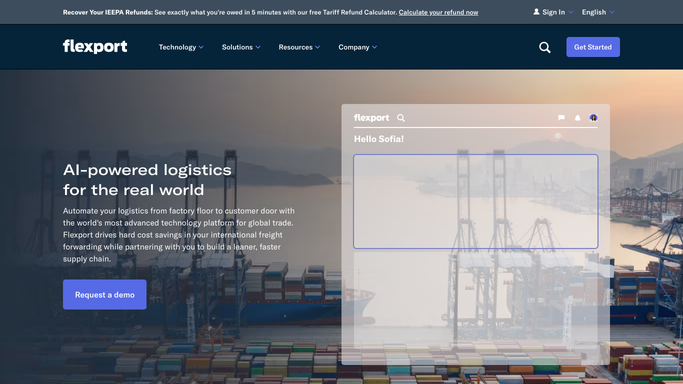
WebRun opens Flexport to collect milestone updates across active shipments. - Open Flexport and navigate to the shipments dashboard
- Filter to shipments with milestone updates in the last 24 hours
- Capture the shipment reference, trade lane, milestone type, timestamp, and any exception flags
- Separate milestones by stage: booking, departed, in transit, customs filed, customs released, delivered
Done when All milestones updated in the last 24 hours are captured with their details.
-
2
Google Sheets - log milestones in the shipment tracker
google.com How to Automate Google Sheets

WebRun opens Google Sheets to log milestones in the shipment tracker. - Append each milestone as a new row in the shipment tracker with date, reference, trade lane, and stage
- Update the current stage column on the master shipment list for each reference
Done when The shipment tracker is updated with all of today's milestones.
-
3
Slack - post the morning shipment digest
slack.com How to Automate Slack

WebRun opens Slack to post the morning shipment digest. - Post the morning shipment digest to the logistics Slack channel
- Group updates by stage: customs events first, then departures, then deliveries
- Highlight any shipment with an exception flag or a missed milestone
Done when The team has the morning digest posted to Slack.
How is each run configured?
Secure by default
Connect once, stays signed in
WebRun signs in once and keeps each session in a persistent environment, so every run picks up right where it left off.
Every action is checked against this policy before it runs.
Questions, answered
Does it cover all shipment modes?
Yes. WebRun pulls milestone updates from Flexport regardless of transport mode, including ocean, air, truck, and rail shipments tracked on the platform.
Will it alert us outside of the morning digest for critical events?
The standard run posts once each morning. For real-time customs exam or hold alerts, use the dedicated customs-exam-hold-alerts template, which runs more frequently and flags those events immediately.
How far back does it look for milestone updates?
Each morning run captures milestones updated in the last 24 hours, so no event is double-counted or missed between daily runs.
Related templates
Put this on autopilot.
Turn it on in minutes - or have our team set it up for you.