Keep your HTS classification records current and defensible
Every Monday, WebRun opens Flexport's product library, identifies items with missing, outdated, or inconsistent HTS classifications, appends each to a Google Sheets review queue, and posts a summary to Slack so your classification team knows what to work on first.
- No credit card
- Under $0.01 per run
- Cancel anytime
How do I keep my HTS product classifications current and audit-ready?
WebRun scans your Flexport product library every Monday for items with missing or outdated HTS classifications. It builds a prioritised review queue in Google Sheets and posts a summary to Slack, so your classification team always has a current, audit-ready worklist without manually checking each product record.
- No SKU enters a shipment with a missing or stale HTS code
- Classification team gets a prioritised worklist every Monday
- Audit-ready queue maintained in Google Sheets with full history
Built for trade compliance managers · customs brokers · importers · product classification teams · supply chain compliance officers
What does WebRun do on every run?
The exact actions WebRun takes, in order - in plain language, so you can adjust anything.
-
WebRun signs in and gets to work
Opens
app.flexport.com/productsin a real browser with your saved login - no setup, no API keys. -
1
Flexport - find unclassified or inconsistent products
flexport.com How to Automate Flexport
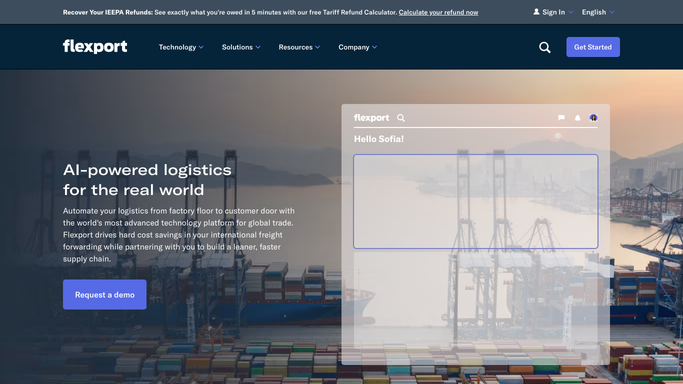
WebRun opens Flexport to find unclassified or inconsistent products. - Open Flexport and navigate to the Product Library
- Filter for items with no HTS code, a flagged code, or a code that was last verified more than six months ago
- Note the product description, country of import, and current classification status for each
Done when All items needing classification review are identified with their details.
-
2
Google Sheets - build the classification review queue
google.com How to Automate Google Sheets

WebRun opens Google Sheets to build the classification review queue. - Append each flagged item to the HTS Review sheet with product name, SKU, country, current code, and flag reason
- Mark new additions in yellow and items overdue for review in red
- Preserve any previous notes from the classification team on existing rows
Done when The HTS review queue is updated with all items needing attention.
-
3
Slack - notify the classification team
slack.com How to Automate Slack

WebRun opens Slack to notify the classification team. - Post a short digest to the trade compliance Slack channel: total items in queue, count added this week, count overdue
- Tag the classification lead to review the queue
Done when The classification team has been notified and the queue link is posted to Slack.
How is each run configured?
Secure by default
Connect once, stays signed in
WebRun signs in once and keeps each session in a persistent environment, so every run picks up right where it left off.
Every action is checked against this policy before it runs.
Questions, answered
Will it automatically assign HTS codes to products?
No. WebRun flags items that need classification and queues them for your team to resolve. HTS code assignment requires human expert review to be defensible in an audit.
How does it know which codes are outdated?
It checks the last-verified date on each Flexport product record and flags any item that has not been reviewed in more than six months, or that carries a compliance alert from Flexport.
Can it handle a large product catalog?
Yes. It processes the full Flexport Product Library each run, so even catalogs with hundreds of SKUs are checked and only genuinely flagged items are added to the queue.
Related templates
Put this on autopilot.
Turn it on in minutes - or have our team set it up for you.