Know your total landed duty exposure before shipments are paid
Every Monday, WebRun opens Flexport and gathers duty and tariff estimates for all active and in-transit shipments, groups the exposure by HTS chapter and supplier, and writes a landed duty exposure report to Google Sheets. It then posts a summary with the week's total and any outliers to Slack for your finance and compliance teams.
- No credit card
- Under $0.01 per run
- Cancel anytime
How do I get a weekly report of our total duty and tariff exposure across active shipments?
WebRun pulls duty and tariff estimates from Flexport every Monday across all active and upcoming shipments, groups the exposure by HTS chapter and supplier, and writes a landed duty exposure report to Google Sheets. A Slack summary posts the week's total, top exposure categories, and any outlier shipments for immediate finance and compliance review.
- Total weekly duty exposure known before invoices arrive, not after
- Exposure broken down by HTS chapter and supplier for accrual accuracy
- Outlier shipments flagged automatically so finance can plan or escalate
Built for finance teams · trade compliance managers · import directors · procurement teams · supply chain finance officers
What does WebRun do on every run?
The exact actions WebRun takes, in order - in plain language, so you can adjust anything.
-
WebRun signs in and gets to work
Opens
app.flexport.com/shipmentsin a real browser with your saved login - no setup, no API keys. -
1
Flexport - pull duty estimates across active shipments
flexport.com How to Automate Flexport
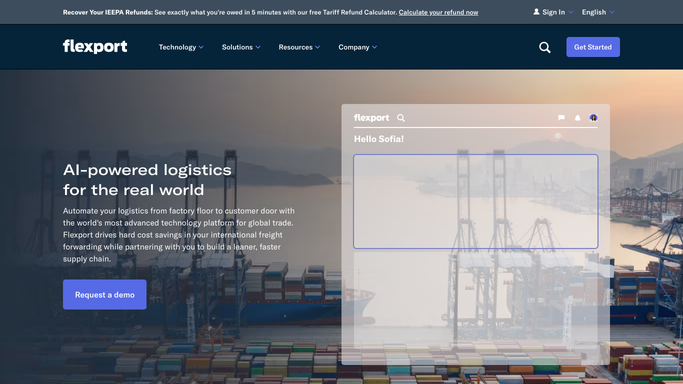
WebRun opens Flexport to pull duty estimates across active shipments. - Open Flexport and navigate to active and upcoming shipments
- For each shipment, collect the declared value, HTS codes, duty rates, and estimated duty amounts
- Group amounts by HTS chapter and by supplier for the rollup
Done when Duty estimates for all active shipments are captured and grouped.
-
2
Google Sheets - write the landed duty exposure report
google.com How to Automate Google Sheets

WebRun opens Google Sheets to write the landed duty exposure report. - Write the weekly duty exposure report to Google Sheets with columns for shipment reference, supplier, HTS chapter, declared value, duty rate, and estimated duty
- Add a summary tab rolling up total exposure by HTS chapter and by supplier
- Flag any shipment where the duty estimate exceeds your configured threshold
Done when The duty exposure report is written to Google Sheets with totals and outliers flagged.
-
3
Slack - post the weekly exposure summary
slack.com How to Automate Slack

WebRun opens Slack to post the weekly exposure summary. - Post the weekly duty exposure summary to the finance and compliance Slack channel
- Include total estimated duty for the week, the top five HTS chapters by exposure, and any shipments flagged as outliers
- Link to the Google Sheets report for the full breakdown
Done when Finance and compliance have the weekly duty summary in Slack.
How is each run configured?
Secure by default
Connect once, stays signed in
WebRun signs in once and keeps each session in a persistent environment, so every run picks up right where it left off.
Every action is checked against this policy before it runs.
Questions, answered
Does it use actual billed duty amounts or estimates?
It uses the duty estimates from Flexport's Tariff Simulator and SKU-level landed cost data. Actual amounts are confirmed when customs entries are liquidated; the report is for planning and exposure management, not final accounting.
Can it track tariff surcharges separately from standard duty?
Yes. Flexport breaks down standard MFN duty, Section 301 tariffs, and other surcharges by HTS code. The report captures these components separately so your team can see the full exposure by tariff type.
Who should receive this report?
The Slack summary goes to your finance and compliance Slack channel. The detailed Google Sheets report is useful for the finance team for accruals, the compliance team for risk review, and procurement for duty cost visibility.
Related templates
Put this on autopilot.
Turn it on in minutes - or have our team set it up for you.