Get alerted to uncovered shifts in your TouchBistro restaurant
Every morning, WebRun reviews the day's upcoming shifts in Google Calendar, checks the floor plan and table section assignments in TouchBistro to confirm coverage is adequate for the expected covers, and posts a Slack alert listing any sections or roles that are understaffed so your manager can find cover before service begins.
- No credit card
- Under $0.01 per run
- Cancel anytime
How do I automatically check for uncovered staff shifts in my restaurant?
WebRun reviews the day's scheduled shifts in Google Calendar, cross-references them against the TouchBistro floor plan section requirements, and posts a Slack alert to your manager channel every morning listing any uncovered sections or understaffed roles before service begins. All decisions about filling gaps stay with your manager.
- Coverage gaps are flagged before service, not discovered during a rush
- Manager gets an all-clear or a targeted list every morning without checking two systems
- Large-party sections and special events get priority coverage checks
Built for restaurant managers · restaurant owners · bar managers · hospitality operators
What does WebRun do on every run?
The exact actions WebRun takes, in order - in plain language, so you can adjust anything.
-
WebRun signs in and gets to work
Opens
app.touchbistro.comin a real browser with your saved login - no setup, no API keys. -
1
TouchBistro - check floor plan and section assignments
touchbistro.com How to Automate TouchBistro
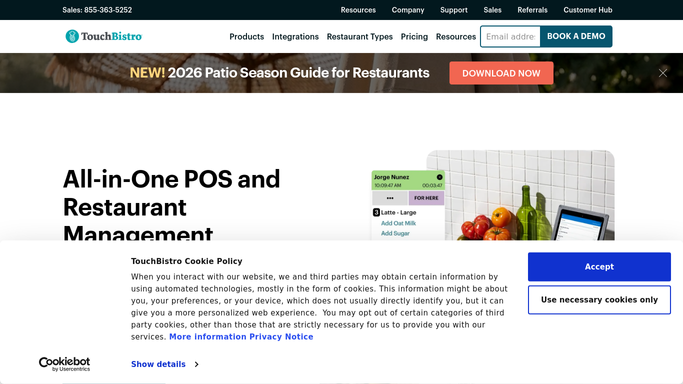
WebRun opens TouchBistro to check floor plan and section assignments. - Open TouchBistro and review the current floor plan for today's expected table sections
- Note any reservations or events already booked that require dedicated server coverage
- Check for any large-party sections that need a minimum number of staff
Done when Floor plan coverage requirements for today are captured.
-
2
Google Calendar - review today's scheduled shifts
calendar.google.com How to Automate Google Calendar

WebRun opens Google Calendar to review today's scheduled shifts. - Open the staff shift calendar in Google Calendar and list all scheduled shifts for today
- Match each scheduled server or bartender to a section based on their role
- Identify any sections with no assigned server or roles with fewer staff than your minimum
Done when Today's shifts are mapped to floor plan sections and gaps are identified.
-
3
Slack - alert manager to any uncovered sections or roles
slack.com How to Automate Slack

WebRun opens Slack to alert manager to any uncovered sections or roles. - Post a coverage alert to the manager channel listing any uncovered sections or understaffed roles
- Include the shift time and the section or role needing cover
- If all sections are covered, post a brief all-clear so the manager knows the check ran
Done when Manager has today's coverage status in Slack before the shift starts.
How is each run configured?
Secure by default
Connect once, stays signed in
WebRun signs in once and keeps each session in a persistent environment, so every run picks up right where it left off.
Every action is checked against this policy before it runs.
Questions, answered
Does it contact staff to fill shifts automatically?
No. WebRun identifies and reports coverage gaps. Your manager receives the Slack alert and decides who to call or message to fill the open shift.
How does it know how many staff each section needs?
You set the minimum staffing levels per section or role during setup, based on your normal service standards. WebRun compares scheduled staff against those minimums.
Can it check coverage for future days, not just today?
The default run checks today's shifts each morning. If you want a 48 or 72-hour lookahead, that can be configured during setup so you have more lead time to find cover.
Related templates
Put this on autopilot.
Turn it on in minutes - or have our team set it up for you.