Get new Tipalti suppliers onboarded faster
When a new supplier submits their details in Tipalti, WebRun checks the onboarding record for missing items, a W9 or W8 tax form, banking details, or a compliance check, logs the supplier's status to an Airtable onboarding tracker, and drafts a Gmail request to the supplier listing exactly what is missing for your AP team to review before sending.
- No credit card
- Under $0.01 per run
- Cancel anytime
How do I onboard new Tipalti suppliers without chasing paperwork by hand?
WebRun checks every new Tipalti supplier record for a completed tax form, banking details, and compliance status, then logs the onboarding status to Airtable. When something is missing, it drafts a Gmail request naming exactly what the supplier still needs to send, leaving it for your AP team to review and send.
- New suppliers get checked against the full checklist the day they are added
- Missing documents are requested with a ready to send draft instead of a blank follow up
- The Airtable tracker shows who is fully onboarded at a glance
Built for Accounts payable teams · finance operations · procurement · controllers
What does WebRun do on every run?
The exact actions WebRun takes, in order - in plain language, so you can adjust anything.
-
WebRun signs in and gets to work
Opens
login.tipalti.comin a real browser with your saved login - no setup, no API keys. -
1
Tipalti - check the new supplier's record
tipalti.com
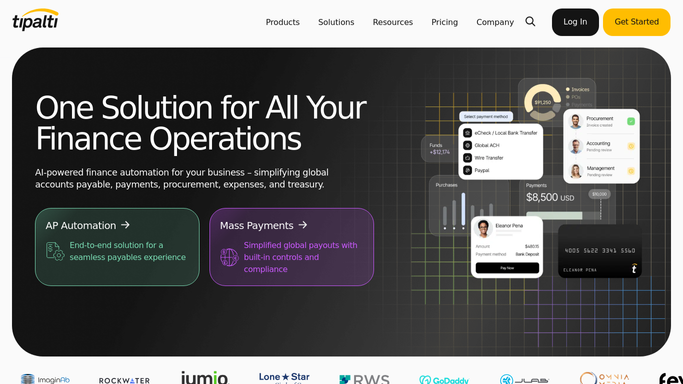
WebRun opens Tipalti to check the new supplier's record. - Open the new supplier's record in Tipalti
- Check for a completed W9 or W8 tax form, banking details, and compliance status
- Note exactly which items are still missing
Done when Every new supplier's onboarding record has been checked against the full checklist.
-
2
Airtable - log the onboarding status
airtable.com How to Automate Airtable

WebRun opens Airtable to log the onboarding status. - Add the supplier to the Airtable onboarding tracker
- Record which checklist items are complete and which are outstanding
- Update the record each time the supplier submits something new
Done when The Airtable tracker shows an accurate onboarding status for every new supplier.
-
3
Gmail - draft the missing document request
gmail.com How to Automate Gmail

WebRun opens Gmail to draft the missing document request. - Draft a request to the supplier listing exactly what is still missing
- Reference the specific form or detail by name
- Leave it as a draft in Gmail for your AP team to review and send
Done when A ready to send request exists for every supplier with missing items.
How is each run configured?
Secure by default
Connect once, stays signed in
WebRun signs in once and keeps each session in a persistent environment, so every run picks up right where it left off.
Every action is checked against this policy before it runs.
Questions, answered
Will it email the supplier without me?
No. The request listing missing documents is drafted in Gmail and left for your AP team to review and send, never sent automatically.
Does it approve suppliers for payment?
No. WebRun only checks and logs what is missing. Approving a supplier for payment stays a decision made inside Tipalti by your team.
What counts as a complete onboarding record?
A completed tax form, valid banking details, and a passed compliance check. Any one missing keeps the supplier flagged as incomplete.
Related templates
Put this on autopilot.
Turn it on in minutes - or have our team set it up for you.