Score your weekly billable hours performance
Every Monday, WebRun opens TimeSolv, reviews last week's time entries by timekeeper, scores billable hours against each person's weekly target, logs the scorecard to a Google Sheet, and emails the billing manager a summary.
- No credit card
- Under $0.01 per run
- Cancel anytime
How do I get a weekly billable hours scorecard from TimeSolv?
WebRun reviews your TimeSolv time entries every Monday, totaling billable hours by timekeeper and comparing them against each person's weekly target. It logs the scorecard to a Google Sheet and emails the billing manager a summary, so anyone falling behind on billable hours is visible at the start of the week.
- Billable hours are scored automatically every Monday
- Timekeepers below target are flagged at the start of the week
- A running weekly history builds up in one shared Google Sheet
Built for law firm billing managers · practice managers · legal accounting teams · consultants and professional services firms
What does WebRun do on every run?
The exact actions WebRun takes, in order - in plain language, so you can adjust anything.
-
WebRun signs in and gets to work
Opens
www.timesolv.comin a real browser with your saved login - no setup, no API keys. -
1
TimeSolv - review last week's time entries
timesolv.com
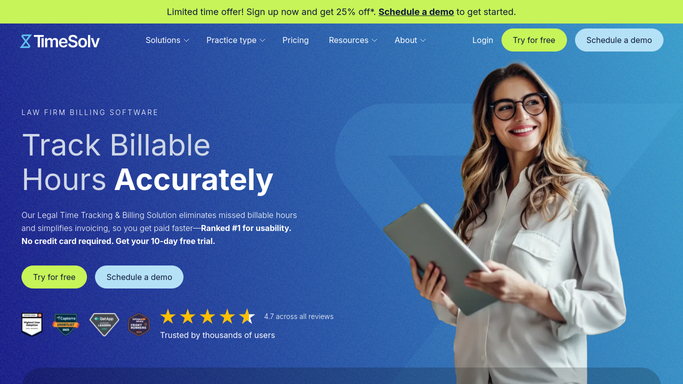
WebRun opens TimeSolv to review last week's time entries. - Open TimeSolv and review time entries for the past week
- Total billable and non-billable hours by timekeeper
- Compare each timekeeper's billable hours against their weekly target
Done when Every timekeeper's billable hours have been totaled and scored.
-
2
Google Sheets - log billable hours by timekeeper
google.com How to Automate Google Sheets

WebRun opens Google Sheets to log billable hours by timekeeper. - Open the billable hours tracker in Google Sheets
- Add a row per timekeeper with hours billed and target
- Highlight anyone below target for the week
Done when This week's billable hours are logged for every timekeeper.
-
3
Gmail - email the billing manager a summary
gmail.com How to Automate Gmail

WebRun opens Gmail to email the billing manager a summary. - Draft a summary email of the week's billable hours for the billing manager
- List anyone below target first
- Send it to the billing manager's inbox
Done when The billing manager has this week's scorecard in their inbox.
How is each run configured?
Secure by default
Connect once, stays signed in
WebRun signs in once and keeps each session in a persistent environment, so every run picks up right where it left off.
Every action is checked against this policy before it runs.
Questions, answered
Will it bill a client or edit a time entry?
No. WebRun only reads logged time and scores it. It never edits a time entry, generates an invoice, or bills a client on its own.
How is the target set?
It compares each timekeeper's logged billable hours against the weekly target already set for them in TimeSolv, so the scorecard reflects your own firm's goals.
Can I track performance over multiple weeks?
Yes. Every week adds a new row per timekeeper to the Google Sheet, so you can see trends over time, not just a single week.
Related templates
Put this on autopilot.
Turn it on in minutes - or have our team set it up for you.