Turn the questions your bot missed into answers
Every morning, WebRun opens Tidio, reads yesterday's conversations for visitor questions the bot handed over or failed to answer, groups them by theme, drafts an answer for each theme, logs them in Airtable, and posts the review list to Notion for the support lead.
- No credit card
- Under $0.01 per run
- Cancel anytime
How do I find the questions my support chatbot could not answer?
WebRun opens Tidio every morning and reads yesterday's conversations for questions the bot handed over or could not answer. It groups them by theme, logs the counts in Airtable, and posts a drafted answer per theme to Notion for approval, so the bot deflects more of the same questions next week.
- Yesterday's unanswered questions arrive grouped and counted by theme
- Every theme comes with a drafted answer in your support voice
- Recurring gaps are visible as recurring, not one-off
Built for support leads · ecommerce teams · customer experience managers · knowledge base owners
What does WebRun do on every run?
The exact actions WebRun takes, in order - in plain language, so you can adjust anything.
-
WebRun signs in and gets to work
Opens
www.tidio.comin a real browser with your saved login - no setup, no API keys. -
1
Tidio - collect the questions the bot missed
tidio.com
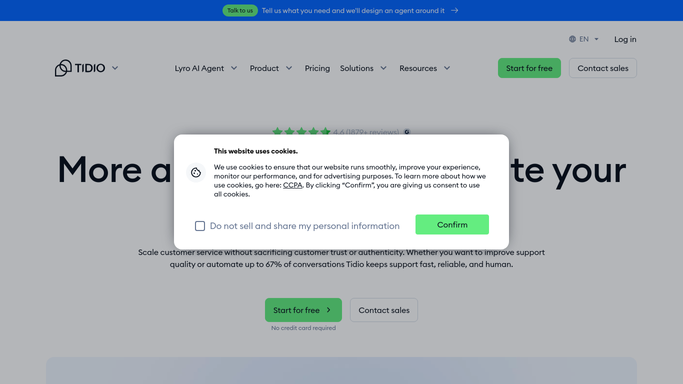
WebRun opens Tidio to collect the questions the bot missed. - Sign in to Tidio and open yesterday's conversations
- Find the chats where the bot handed over to a human or returned no useful answer
- Capture the visitor's question in their own words and the page they asked it from
- Note whether a human answered afterwards and what they said
- Tag each question with the theme it belongs to: pricing, shipping, account, product fit, or other
Done when Every question the bot could not answer is captured with its theme.
-
2
Airtable - log the answer gaps
airtable.com How to Automate Airtable

WebRun opens Airtable to log the answer gaps. - Write one row per question with the theme, the wording, and the page it came from
- Count how many times each theme came up so the biggest gap is obvious
- Keep prior days in the same table so a recurring gap is visible as recurring
- Mark rows already covered by an existing flow or canned response
Done when Yesterday's answer gaps are logged and counted by theme in Airtable.
-
3
Notion - post the drafted answers
notion.so How to Automate Notion

WebRun opens Notion to post the drafted answers. - Post the review list to your support page, biggest theme first
- Draft a suggested answer for each theme, written in your existing support voice
- Quote a real visitor question under each draft so the wording matches how people ask
- Leave every draft for the support lead to approve before it becomes a canned response or flow
Done when The support lead has today's drafted answers waiting in Notion.
How is each run configured?
Secure by default
Connect once, stays signed in
WebRun signs in once and keeps each session in a persistent environment, so every run picks up right where it left off.
Every action is checked against this policy before it runs.
Questions, answered
Will it reply to visitors or change the bot?
No. WebRun never messages a visitor, edits a flow, or publishes a canned response. Answers are drafted in Notion for the support lead to approve, and a human puts them live.
How does it group the questions?
It tags each captured question with a theme such as pricing, shipping, account, or product fit, then counts how often each theme appears, so the biggest gap is at the top rather than buried in a transcript.
What if a human already answered the chat?
That answer is captured alongside the question and used as the basis for the draft, so the suggested wording matches how your team already answers rather than inventing something new.
Related templates
Put this on autopilot.
Turn it on in minutes - or have our team set it up for you.