Export your Tella recording library every week
Every Monday, WebRun opens Tella, lists every video recorded in the past week with its title and length, exports the full list to Airtable, and updates a Notion content index so your recording library stays organized and searchable.
- No credit card
- Under $0.01 per run
- Cancel anytime
How do I keep my Tella recording library organized every week?
WebRun lists every Tella recording made in the past week every Monday, exports the title, length, and link for each to Airtable, and updates a Notion content index so the library stays organized. Creators always know what they've recorded without scrolling through Tella's history themselves.
- Every recording is cataloged automatically every week
- The content index stays current without manual updates
- No recording gets lost in an unsorted library
Built for Course creators · Product teams · Solo creators · Customer support teams
What does WebRun do on every run?
The exact actions WebRun takes, in order - in plain language, so you can adjust anything.
-
WebRun signs in and gets to work
Opens
tella.tvin a real browser with your saved login - no setup, no API keys. -
1
Tella - list recordings from the past week
tella.tv
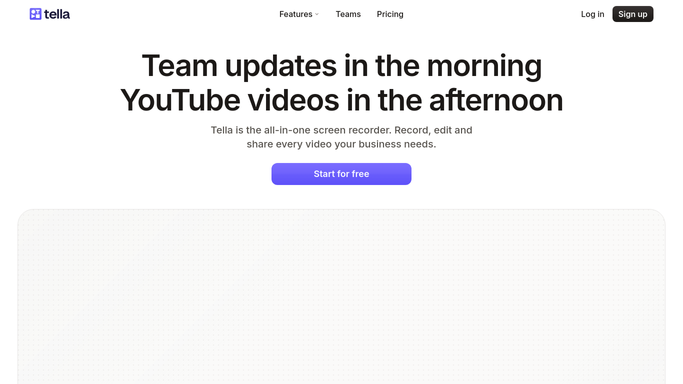
WebRun opens Tella to list recordings from the past week. - Open the recordings library in Tella
- List videos recorded in the past 7 days
- Capture the title, length, and share link for each
Done when Every recording from the past week is listed with its details.
-
2
Airtable - export the recording list
airtable.com How to Automate Airtable

WebRun opens Airtable to export the recording list. - Open the recording tracking table
- Append each new recording with its title, length, and link
- Keep prior weeks intact
Done when The week's recordings are fully exported to Airtable.
-
3
Notion - update the content index
notion.so How to Automate Notion

WebRun opens Notion to update the content index. - Open the content index page in Notion
- Add links to the new recordings
- Group them by topic where possible
Done when The Notion content index reflects this week's new recordings.
How is each run configured?
Secure by default
Connect once, stays signed in
WebRun signs in once and keeps each session in a persistent environment, so every run picks up right where it left off.
Every action is checked against this policy before it runs.
Questions, answered
Does it publish or share any recording?
No. WebRun only catalogs recordings that already exist in Tella. It never publishes or shares a video outside your library.
What if a recording has no clear topic?
It's still added to the Airtable export and Notion index, just without a topic grouping, so nothing gets left out.
Can it handle a large recording library?
Yes, it only processes the past week's recordings each run, so the export stays fast and the index builds up gradually.
Related templates
Put this on autopilot.
Turn it on in minutes - or have our team set it up for you.