Never miss a filing deadline
Every morning, WebRun opens Drake Tax and finds all returns with a filing deadline in the next seven days, logs each one with the client name, return type, and days remaining into Google Sheets, and posts a prioritized Slack alert so your team knows exactly what needs to ship today.
- No credit card
- Under $0.01 per run
- Cancel anytime
How do I track upcoming tax filing deadlines automatically in Drake Tax?
WebRun opens Drake Tax every morning and identifies all returns due within seven days, logs each one with the client name, return type, and days remaining into Google Sheets, and posts a prioritized Slack alert to your team so urgent returns are visible and actioned before the deadline.
- Returns due within seven days are flagged every morning before work begins
- The team sees a Slack priority list so the most urgent work is tackled first
- Filed returns are excluded automatically so the list stays clean and actionable
Built for CPA firms · tax preparers · enrolled agents · Drake Tax users
What does WebRun do on every run?
The exact actions WebRun takes, in order - in plain language, so you can adjust anything.
-
WebRun signs in and gets to work
Opens
www.drakesoftware.comin a real browser with your saved login - no setup, no API keys. -
1
Drake Tax - find returns nearing their deadline
drakesoftware.com
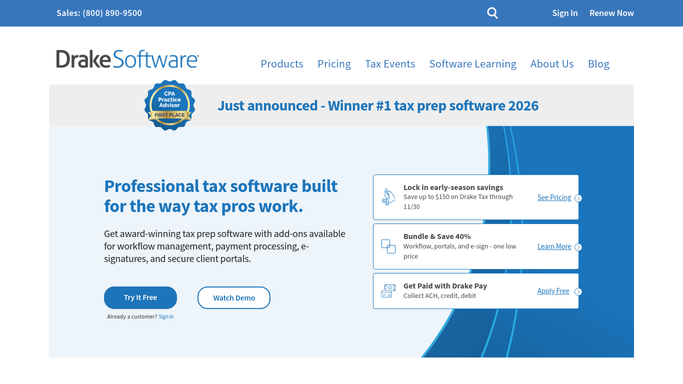
WebRun opens Drake Tax to find returns nearing their deadline. - Open Drake Tax and navigate to the return manager or status overview
- Filter returns to those with a due date within the next seven days
- Capture the client name, return type (1040, 1120, 1065, etc.), due date, and current status
- Sort by days remaining so the most urgent returns appear first
Done when Every return due within seven days is listed with its client, type, due date, and status.
-
2
Google Sheets - log deadline details
google.com How to Automate Google Sheets

WebRun opens Google Sheets to log deadline details. - Open the deadline tracking sheet
- Append or update each row with the return details captured from Drake Tax
- Color-code rows by urgency: red for two days or fewer, yellow for three to five days
Done when The Google Sheet is updated with all returns due within seven days and their urgency color-coding.
-
3
Slack - post the prioritized alert
slack.com How to Automate Slack

WebRun opens Slack to post the prioritized alert. - Post a prioritized deadline alert to the team channel
- List returns due soonest first with client name, return type, and days remaining
- Include a link to the Google Sheet for the full tracker
Done when The team has a Slack alert listing every return due soon, sorted by urgency.
How is each run configured?
Secure by default
Connect once, stays signed in
WebRun signs in once and keeps each session in a persistent environment, so every run picks up right where it left off.
Every action is checked against this policy before it runs.
Questions, answered
Does it look at federal and state deadlines separately?
Yes. It reads the due date as recorded in Drake Tax for each return, which can reflect the actual federal or extended deadline. For state-specific deadlines, make sure they are entered in Drake Tax as your firm tracks them.
What if a return has already been filed?
WebRun reads the live status in Drake Tax each morning, so returns already marked as e-filed or accepted are excluded automatically from the daily alert.
Can it alert individual preparers instead of a shared channel?
Yes. You can configure the Slack alert to route each return to the assigned preparer's direct message rather than a shared channel, so each person only sees their own upcoming deadlines.
Related templates
Put this on autopilot.
Turn it on in minutes - or have our team set it up for you.