Grow studio reviews after every session
Every morning, WebRun opens Booksy, finds sessions completed the previous day, drafts a short personalised message inviting each client to leave a Google Business review, and posts the batch to Slack for your team to review and approve before any request goes out.
- No credit card
- Under $0.01 per run
- Cancel anytime
How do I automatically ask tattoo clients to leave a Google review after their session?
WebRun opens Booksy each morning, finds sessions completed the previous day, and drafts a personalised Google Business review request for each client with your studio's direct review link. The full batch lands in Slack for team approval before any message is sent, building your reputation without risking an unsolicited send.
- Review volume grows consistently without manual follow-up
- No review request goes out to a client without staff sign-off
- Clients are never asked more than once per quarter
Built for tattoo studios · tattoo artists · body art studios · studio owners
What does WebRun do on every run?
The exact actions WebRun takes, in order - in plain language, so you can adjust anything.
-
WebRun signs in and gets to work
Opens
booksy.comin a real browser with your saved login - no setup, no API keys. -
1
Booksy - find completed sessions
booksy.com
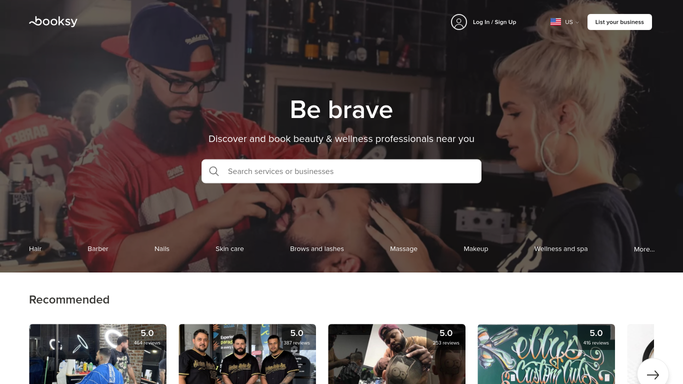
WebRun opens Booksy to find completed sessions. - Open Booksy and filter for appointments marked as completed yesterday
- Collect the client name, contact detail, artist name, and service for each completed session
- Skip any client who has already been sent a review request in the past 90 days
Done when All eligible clients from yesterday's sessions are listed with their contact information.
-
2
Google Business - prepare the review link
business.google.com How to Automate Google Business

WebRun opens Google Business to prepare the review link. - Pull the studio's Google Business review link from the profile
- Compose a short, friendly review-request message for each client that names their artist and thanks them for visiting
- Embed the direct Google Business review link in each message draft
Done when A personalised review-request message is drafted for every eligible client, with the Google Business link included.
-
3
Slack - queue review requests for approval
slack.com How to Automate Slack

WebRun opens Slack to queue review requests for approval. - Post a Slack summary listing each client and a preview of their review-request message
- Include a count of how many requests are ready for approval and prompt a team member to approve the batch before sending
Done when The team has a Slack review of all draft review requests before any message reaches a client.
How is each run configured?
Secure by default
Connect once, stays signed in
WebRun signs in once and keeps each session in a persistent environment, so every run picks up right where it left off.
Every action is checked against this policy before it runs.
Questions, answered
Will it send review requests to clients without my sign-off?
No. Every review request is drafted and held in the queue. WebRun posts the full batch to Slack for a team member to review and approve before any message is sent to a client.
How does it avoid spamming the same client repeatedly?
WebRun tracks which clients have received a review request in the past 90 days and automatically excludes them from each new batch, so no client is ever asked more than once per quarter.
Does it only send to clients who had a good experience?
The batch is reviewed in Slack before sending, giving the team the chance to remove any client where the session had an issue. No message leaves without a staff member seeing the list first.
Related templates
Put this on autopilot.
Turn it on in minutes - or have our team set it up for you.