Flag overstocked SKUs ready for a markdown before cash stagnates
Every Monday, WebRun opens Cin7, calculates days of cover for all active SKUs, identifies any with more than 90 days of stock, and writes a ranked overstock report to Google Sheets so buyers can decide on markdowns, promotions, or supplier returns.
- No credit card
- Under $0.01 per run
- Cancel anytime
How do I automatically find overstocked SKUs in Cin7 that need a markdown?
WebRun opens Cin7 every Monday, calculates days of cover for every active SKU, and flags any item sitting above 90 days of supply. The overstock list is written to Google Sheets, sorted by tied-up cost value, with suggested actions so your team can quickly decide which products to mark down, promote, or return to suppliers.
- Overstocked SKUs identified weekly before cash stays tied up for months
- Buyers get a sorted, action-ready overstock sheet every Monday morning
- Markdown and return decisions made faster with suggested actions attached
Built for inventory managers · wholesale buyers · ecommerce merchandisers · supply chain planners
What does WebRun do on every run?
The exact actions WebRun takes, in order - in plain language, so you can adjust anything.
-
WebRun signs in and gets to work
Opens
app.cin7.comin a real browser with your saved login - no setup, no API keys. -
1
Cin7 - identify overstocked SKUs
cin7.com How to Automate Cin7
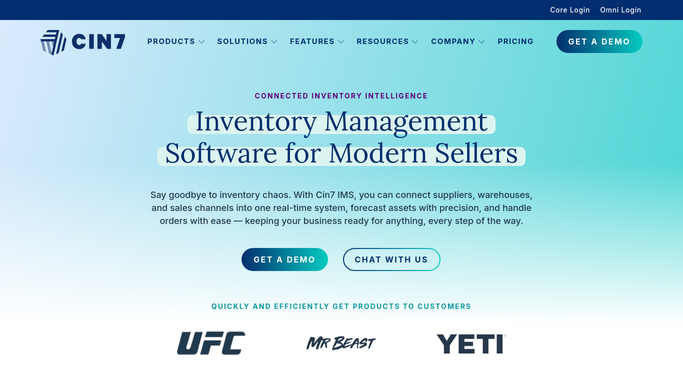
WebRun opens Cin7 to identify overstocked SKUs. - Open Cin7 and pull stock on hand and 30-day average daily sales for all active SKUs
- Calculate days of cover for each SKU
- Flag any SKU with more than 90 days of cover as overstocked
- Capture product name, SKU, stock value at cost, days of cover, and category for each flagged item
- Sort by stock value descending so the highest cash-tie is first
Done when Every overstocked SKU is listed with its cost value and days of cover, sorted by cash impact.
-
2
Google Sheets - log overstock markdown flags
google.com How to Automate Google Sheets

WebRun opens Google Sheets to log overstock markdown flags. - Open the overstock markdown sheet
- Replace last week's data with today's flagged SKUs
- Add a suggested action column with options: markdown, promote, or supplier return, based on days of cover
Done when The overstock sheet is refreshed with this week's candidates and suggested actions.
How is each run configured?
Secure by default
Connect once, stays signed in
WebRun signs in once and keeps each session in a persistent environment, so every run picks up right where it left off.
Every action is checked against this policy before it runs.
Questions, answered
Will it automatically mark down prices in Cin7?
No. WebRun flags which SKUs are candidates and logs them to Google Sheets for your team to review. Price changes are made by your team, so no pricing is altered without a human decision.
Can I adjust the 90-day overstock threshold?
Yes. Tell WebRun your preferred overstock threshold in days during setup and it will use that value instead of the 90-day default.
What does the suggested action column mean?
WebRun assigns a suggested action based on days of cover: items over 180 days get a supplier-return suggestion, 90 to 180 days gets a markdown or promotion flag. Your team makes the final call on each.
Related templates
Put this on autopilot.
Turn it on in minutes - or have our team set it up for you.