Check every episode is release-ready before it drops
Every morning, WebRun opens Spreaker, reviews episodes scheduled to publish in the next few days, checks each one for a title, description, artwork, tags and a publish time, posts the incomplete list to Microsoft Teams, and pings you on Telegram if anything is missing.
- No credit card
- Under $0.01 per run
- Cancel anytime
How do I check my podcast episodes are complete before they publish?
WebRun opens Spreaker each morning, reviews every episode scheduled to publish in the next three days, and checks the title, show notes, artwork, tags and publish time. It posts the incomplete list to Microsoft Teams and pings you on Telegram only when an episode due within 24 hours is still missing something.
- Missing show notes are caught days before publish, not after
- The whole team sees which episodes are actually ready
- Your phone only buzzes when something is genuinely at risk
Built for podcasters · podcast producers · audio networks · content teams
What does WebRun do on every run?
The exact actions WebRun takes, in order - in plain language, so you can adjust anything.
-
WebRun signs in and gets to work
Opens
www.spreaker.comin a real browser with your saved login - no setup, no API keys. -
1
Spreaker - check scheduled episodes
spreaker.com
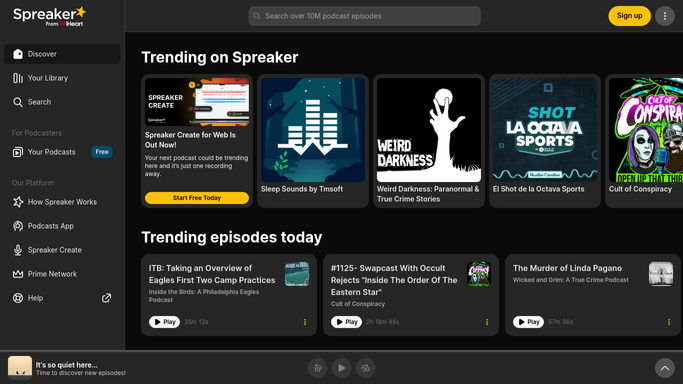
WebRun opens Spreaker to check scheduled episodes. - Open Spreaker and list episodes scheduled to publish in the next 3 days
- For each one check the title, the show notes, the episode artwork, the tags and the scheduled time
- Note anything blank, obviously placeholder, or scheduled outside your usual release slot
Done when Every upcoming episode has been checked against the full release checklist.
-
2
Microsoft Teams - post the gaps to the show channel
microsoft.com How to Automate Microsoft Teams

WebRun opens Microsoft Teams to post the gaps to the show channel. - Post the checklist result to your show channel in Microsoft Teams
- List each incomplete episode with its publish date and exactly which fields are missing
- Confirm in one line which episodes are fully ready so nobody re-checks them
Done when The show channel has today's release-readiness list.
-
3
Telegram - ping you if something is missing
telegram.org How to Automate Telegram

WebRun opens Telegram to ping you if something is missing. - Send yourself a short Telegram message only when an episode publishing within 24 hours is incomplete
- Name the episode, the publish time and the missing field
- Stay silent on days when everything checks out
Done when You have been pinged about any imminent episode with a gap.
How is each run configured?
Secure by default
Connect once, stays signed in
WebRun signs in once and keeps each session in a persistent environment, so every run picks up right where it left off.
Every action is checked against this policy before it runs.
Questions, answered
Will it publish or edit an episode itself?
No. WebRun only reads your scheduled episodes and reports what is missing. It never publishes, never reschedules, and never edits show notes or artwork. Every change stays in your hands.
Does it upload audio or artwork?
No. File uploads are blocked outright by the Strict Lockdown policy, so WebRun cannot add media to an episode even if asked. It reads the episode page and tells you what is blank.
Will it message me every single day?
Only the Teams post runs daily. The Telegram ping fires only when an episode going out within 24 hours is still incomplete, so a quiet phone means your schedule is clean.
Related templates
Put this on autopilot.
Turn it on in minutes - or have our team set it up for you.