Get every campaign reply to a human the same morning
Every morning, WebRun opens Snov.io, reads the replies that landed on your outbound campaigns since yesterday, sorts each into interested, not now, or opt-out, queues the warm ones in Airtable with the prospect and the campaign attached, and writes a short context brief per prospect in Notion for the rep who picks it up.
- No credit card
- Under $0.01 per run
- Cancel anytime
How do I triage replies from an outbound email campaign quickly?
WebRun opens Snov.io every morning and reads the replies your outbound campaigns collected overnight, sorting each into interested, not now, or opt-out. It queues the warm ones in Airtable and writes a Notion brief with a suggested response, so nobody who answered waits days for a reply.
- Warm replies reach a rep the same morning they land
- Opt-out requests are separated and actioned, never answered
- Every warm prospect comes with context and a suggested response
Built for sales reps · SDR teams · lead generation agencies · founders doing outbound
What does WebRun do on every run?
The exact actions WebRun takes, in order - in plain language, so you can adjust anything.
-
WebRun signs in and gets to work
Opens
app.snov.ioin a real browser with your saved login - no setup, no API keys. -
1
Snov.io - read and sort campaign replies
snov.io
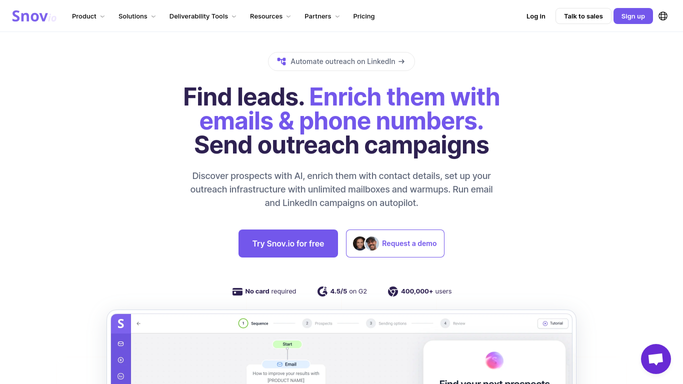
WebRun opens Snov.io to read and sort campaign replies. - Open Snov.io and go to your running campaigns
- Read every reply received since the last run with the prospect and campaign it belongs to
- Sort each reply into interested, not now, or opt-out based on what the prospect actually wrote
- Put anything ambiguous in a fourth pile for a human to read rather than guessing
Done when Every new reply is sorted and attributed to its prospect and campaign.
-
2
Airtable - queue the warm replies
airtable.com How to Automate Airtable

WebRun opens Airtable to queue the warm replies. - Open the reply queue base in Airtable
- Add the interested replies first with the prospect, company, campaign, and what they said
- Add not now replies with the date they suggested so they can be picked up later
- List opt-out requests in their own view at the top so a person removes them from the campaign today
Done when Today's replies are queued in Airtable, warm ones first and opt-outs separated.
-
3
Notion - brief the rep on each prospect
notion.so How to Automate Notion

WebRun opens Notion to brief the rep on each prospect. - Create a short brief in Notion for each interested prospect
- Include their company, role, the campaign they replied to, and the exact wording of the reply
- Draft a suggested response and leave it in the brief, unsent, for the rep to send from their own inbox
Done when Every warm reply has a brief and a suggested response waiting in Notion.
How is each run configured?
Secure by default
Connect once, stays signed in
WebRun signs in once and keeps each session in a persistent environment, so every run picks up right where it left off.
Every action is checked against this policy before it runs.
Questions, answered
Will it reply to prospects on its own?
No. WebRun writes a suggested response into the Notion brief and stops there. The rep sends it from their own inbox, so no prospect ever receives an unreviewed message.
What happens to an opt-out request?
It goes into its own Airtable view at the top of the queue with the prospect named, so a person removes them from the campaign the same day. WebRun flags opt-outs rather than acting on the list itself.
What if a reply is hard to categorise?
It goes into a separate pile for a human instead of being forced into interested or not now. Out-of-office notes and referrals to a colleague end up there rather than being scored as warm.
Related templates
Put this on autopilot.
Turn it on in minutes - or have our team set it up for you.