Remind consignors when their payout is ready
Every Monday, WebRun opens Copyt, finds which consignment items sold and what each consignor is owed, checks the transfer status in Stripe, drafts a payout notice in Gmail for your review, and posts Slack a list of who still needs paying.
- No credit card
- Under $0.01 per run
- Cancel anytime
How do I remind consignors when their payout is ready without sending money myself?
Every Monday, WebRun opens Copyt to find which consignment items sold and what each consignor is owed, then checks Stripe for the transfer status. It drafts a payout notice in Gmail for your review and posts Slack a list of who still needs paying, so consignors get paid on time without manual math.
- Consignors get paid on time without manual spreadsheet math
- Every payout notice is drafted for review, nothing goes out unsent
- Already-paid consignors are skipped automatically from live Stripe status
Built for consignment sneaker stores · streetwear resale shops · multi-consignor resellers
What does WebRun do on every run?
The exact actions WebRun takes, in order - in plain language, so you can adjust anything.
-
WebRun signs in and gets to work
Opens
connect.copyt.ioin a real browser with your saved login - no setup, no API keys. -
1
Copyt - find sold consignment items
copyt.io How to Automate Copyt
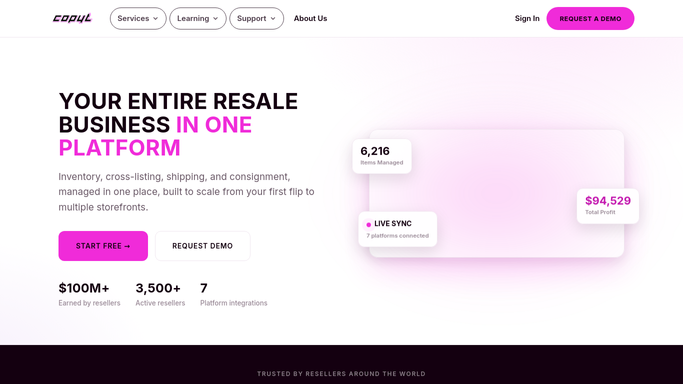
WebRun opens Copyt to find sold consignment items. - Open Copyt and filter consignment items to sold this week
- Calculate the payout owed to each consignor after your split
- Note any consignor already paid this cycle
Done when Every consignor owed a payout this week is listed with the amount.
-
2
Stripe - check payout status
stripe.com How to Automate Stripe

WebRun opens Stripe to check payout status. - Check Stripe for the transfer status of each consignor's payout
- Match paid transfers against the Copyt payout list
- Flag any payout that has not been sent yet
Done when Every payout is matched against its Stripe transfer status.
-
3
Gmail - draft the payout notice
gmail.com How to Automate Gmail

WebRun opens Gmail to draft the payout notice. - Draft a payout notice for each consignor still owed money
- Include the items sold, the amount, and when to expect payment
- Leave every draft unsent in Gmail for you to review and send
Done when A reviewable draft exists for every consignor still owed a payout.
-
4
Slack - list who still needs paying
slack.com How to Automate Slack

WebRun opens Slack to list who still needs paying. - Post a list of consignors paid and consignors still owed
- Put the oldest unpaid balances first
- Note that drafts are waiting for review in Gmail
Done when Your team has this week's consignor payout list in Slack.
How is each run configured?
Secure by default
Connect once, stays signed in
WebRun signs in once and keeps each session in a persistent environment, so every run picks up right where it left off.
Every action is checked against this policy before it runs.
Questions, answered
Will it email consignors without me?
No. Every payout notice is drafted in Gmail and left unsent. WebRun never sends money or a payout email to a consignor without you reviewing and hitting send yourself.
How does it calculate what each consignor is owed?
It reads the sold price and your consignment split straight from Copyt, so the amount in every draft and every Slack line matches what Copyt already has on record.
What if a consignor was already paid?
It checks the live transfer status in Stripe each Monday, so anyone already paid out is skipped and only genuinely outstanding consignors show up on the list.
Related templates
Put this on autopilot.
Turn it on in minutes - or have our team set it up for you.