Turn SalesIntel searches into a ready to work contact list
Every morning, WebRun opens SalesIntel, runs your saved target account searches, keeps only contacts that come back human-verified, logs each one to an Airtable base with title, company, and verified phone or email, and emails your sales ops lead a summary of how many new contacts were added and from which accounts.
- No credit card
- Under $0.01 per run
- Cancel anytime
How do I turn SalesIntel searches into a verified contact list automatically?
WebRun runs your saved SalesIntel target account searches every morning and keeps only contacts marked as human-verified. It logs each new contact to an Airtable base with title, company, and verified details, then emails your sales ops lead a summary of what was added, so your contact list grows daily without manual research.
- Your verified contact list grows every morning with zero manual research
- Only human-verified contacts make it onto the list
- Target accounts with no contact yet get flagged instead of assumed covered
Built for sales operations · SDRs · account-based sales teams · revenue operations
What does WebRun do on every run?
The exact actions WebRun takes, in order - in plain language, so you can adjust anything.
-
WebRun signs in and gets to work
Opens
salesintel.ioin a real browser with your saved login - no setup, no API keys. -
1
SalesIntel - run target account searches
salesintel.io
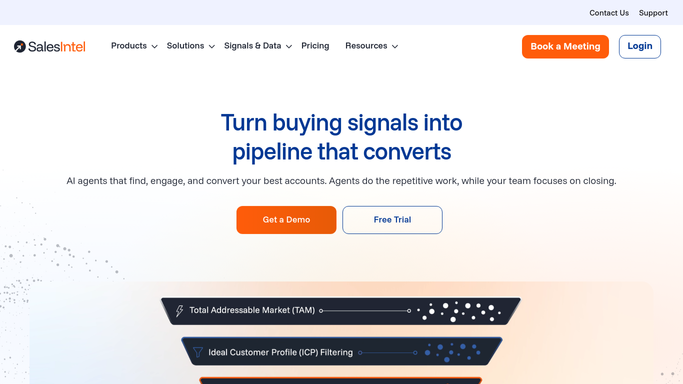
WebRun opens SalesIntel to run target account searches. - Open SalesIntel and run your saved target account searches
- Keep only contacts marked as human-verified
- Capture name, title, company, and verified contact details for each
Done when Every verified contact from today's searches is captured with its details.
-
2
Gmail - email a summary of what was added
gmail.com How to Automate Gmail

WebRun opens Gmail to email a summary of what was added. - Email your sales ops lead a summary: total contacts added and which accounts they came from
- Note any target account with no verified contact found yet
Done when Sales ops has today's summary in their inbox.
-
3
Airtable - log each verified contact
airtable.com How to Automate Airtable

WebRun opens Airtable to log each verified contact. - Open the Verified Contacts base
- Add a new entry for each verified contact with account and source search
- Skip any contact already logged
Done when Every new verified contact has an Airtable entry.
How is each run configured?
Secure by default
Connect once, stays signed in
WebRun signs in once and keeps each session in a persistent environment, so every run picks up right where it left off.
Every action is checked against this policy before it runs.
Questions, answered
Does it email any of these contacts?
No. WebRun only finds and logs verified contacts. Reaching out to a contact is a separate step your outreach tool or team handles.
What does human-verified mean here?
Only contacts SalesIntel marks as verified by a person, not just matched by an algorithm, are logged. Unverified matches are skipped.
What if a target account has no verified contacts yet?
It's noted in the daily email summary so you know to try a different search or check back later, rather than assuming the list is complete.
Related templates
Put this on autopilot.
Turn it on in minutes - or have our team set it up for you.