Get a new teammate into the right Ryver teams on day one
When a new user appears in Ryver, WebRun reads their role, adds them to the teams and forums your onboarding map lists for that role, drafts a welcome email in Gmail pointing them at the right conversations, and sends you a WhatsApp checklist showing exactly what was set up and what still needs a human.
- No credit card
- Under $0.01 per run
- Cancel anytime
How do I set a new teammate up in the right chat teams automatically?
When a new user is added in Ryver, WebRun reads their role and adds them to the teams and forums your onboarding map lists. It drafts a welcome email in Gmail for you to send and posts a WhatsApp checklist, so a new hire finds the right conversations on their first morning.
- A new hire lands in the right conversations on day one
- Nobody is forgotten from a forum they need
- The welcome email is written before you sit down to do it
Built for office managers · operations teams · IT administrators · small business owners
What does WebRun do on every run?
The exact actions WebRun takes, in order - in plain language, so you can adjust anything.
-
WebRun signs in and gets to work
Opens
ryver.comin a real browser with your saved login - no setup, no API keys. -
1
Ryver - add them to the right teams and forums
ryver.com
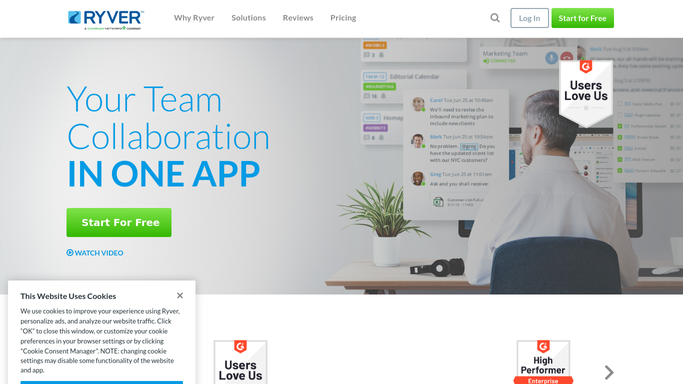
WebRun opens Ryver to add them to the right teams and forums. - Open Ryver and find the newly added user
- Read their role or department from the user profile
- Add them to each team and forum your onboarding map lists for that role
- Check the task boards those teams use and confirm the new user can see them
- Leave anything outside the standard map as a suggestion for you rather than applying it
Done when The new user is a member of every team and forum their role calls for.
-
2
Gmail - draft the welcome email
gmail.com How to Automate Gmail

WebRun opens Gmail to draft the welcome email. - Draft a short welcome email to the new teammate in your own voice
- List the teams and forums they were added to and what each one is for
- Point them at the task boards they will be working from
- Leave the email as an unsent draft. You read it and press send
Done when A welcome email is sitting in drafts ready for you to review and send.
-
3
WhatsApp - send the setup checklist
whatsapp.com How to Automate WhatsApp

WebRun opens WhatsApp to send the setup checklist. - Send yourself a checklist of the teams and forums the new user was added to
- Flag anything WebRun could not match to the onboarding map
- Note that the welcome email is waiting in Gmail drafts
Done when You have the onboarding checklist in WhatsApp with any open items flagged.
How is each run configured?
Secure by default
Connect once, stays signed in
WebRun signs in once and keeps each session in a persistent environment, so every run picks up right where it left off.
Every action is checked against this policy before it runs.
Questions, answered
Will it email the new hire without me?
No. The welcome email is written and left unsent in Gmail drafts. You read it, adjust anything, and press send yourself, so nothing reaches a new teammate without a person approving it.
How does it know which teams someone should be in?
It follows the onboarding map you write once, matching role or department to a list of Ryver teams and forums. Anything outside that map is flagged for you instead of applied.
Can it create the Ryver account itself?
No. WebRun starts from a user who has already been added, so account creation and licensing stay entirely in your hands.
Related templates
Put this on autopilot.
Turn it on in minutes - or have our team set it up for you.