Get manufacturer warranties registered before the window closes
Every morning, WebRun opens DMSi Agility, finds orders shipped in the last 30 days that qualify for an enhanced manufacturer warranty, drafts the registration submission with the job and product details in Gmail for the branch to review and send, and posts a Telegram alert to the warranty coordinator listing anything still open as the deadline nears.
- No credit card
- Under $0.01 per run
- Cancel anytime
How do I keep up with manufacturer warranty registration deadlines?
Every morning, WebRun opens DMSi Agility and finds recently shipped orders that qualify for an enhanced manufacturer warranty. It drafts the registration submission with the job and product details in Gmail for the branch to review and send, and posts a Telegram alert ranking open registrations by days left, so no deadline is missed.
- Registration deadlines are ranked in Telegram before any of them lapse
- Submissions arrive as a filled-in draft instead of a blank form
- No enhanced warranty is lost to a missed manufacturer window
Built for roofing and siding distributors · warranty program coordinators · branch managers · contractor account teams
What does WebRun do on every run?
The exact actions WebRun takes, in order - in plain language, so you can adjust anything.
-
WebRun signs in and gets to work
Opens
www.dmsi.comin a real browser with your saved login - no setup, no API keys. -
1
DMSi Agility - find shipments that qualify for enhanced warranty
dmsi.com How to Automate DMSi Agility
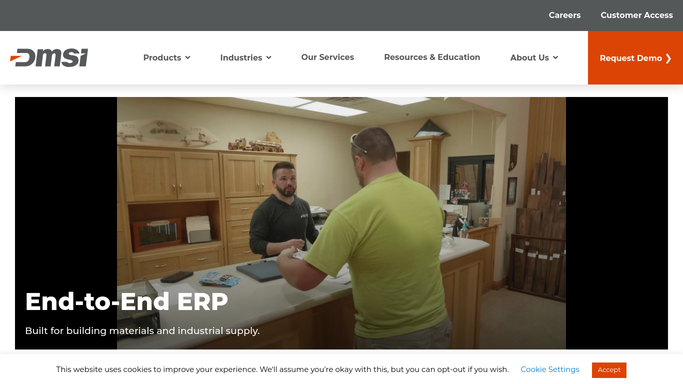
WebRun opens DMSi Agility to find shipments that qualify for enhanced warranty. - Open DMSi Agility and filter shipped orders for products enrolled in a manufacturer enhanced warranty program
- Capture the jobsite, installer of record, ship date, and the manufacturer's registration deadline
- Check whether a registration confirmation is already on file for the order
Done when Every qualifying shipment is listed with its registration deadline and current status.
-
2
Gmail - draft the registration submission for review
gmail.com How to Automate Gmail

WebRun opens Gmail to draft the registration submission for review. - Draft the registration submission with the job address, product, quantities, and installer details filled in
- Address it to the manufacturer's registration contact or portal submission address on file
- Save it as a draft. Do not submit or send any registration without branch review
Done when A draft registration submission is ready for every unregistered qualifying order.
-
3
Telegram - alert the coordinator to open deadlines
telegram.org How to Automate Telegram

WebRun opens Telegram to alert the coordinator to open deadlines. - Post an alert to the warranty coordinator listing every open registration and its days remaining
- Put registrations within 5 days of their deadline at the top
- Confirm registrations already completed are removed from the list
Done when The coordinator has a current list of open registrations ranked by deadline.
How is each run configured?
Secure by default
Connect once, stays signed in
WebRun signs in once and keeps each session in a persistent environment, so every run picks up right where it left off.
Every action is checked against this policy before it runs.
Questions, answered
Will it submit the warranty registration to the manufacturer on its own?
No. WebRun drafts the registration submission in Gmail with the job and product details filled in, and leaves it unsent. Someone at the branch reviews and sends it, so nothing is submitted to a manufacturer without a person checking it.
How does it know a warranty registration deadline?
It reads the manufacturer's registration window recorded against the enrolled product in DMSi Agility, typically counted from the ship date, and uses that to rank open registrations by days remaining.
What if a registration was already completed outside DMSi Agility?
Mark the order's registration status as complete in DMSi Agility and WebRun will drop it from the next Telegram alert and stop drafting a submission for it.
Related templates
Put this on autopilot.
Turn it on in minutes - or have our team set it up for you.