Make sure no question in chat goes unanswered
Through the working day, WebRun opens the Rocket.Chat channels you nominate, finds messages that asked something and still have no reply after the wait you set, records each one in an Airtable follow-up base, and pings the channel owner in Microsoft Teams so a customer or colleague is not left waiting.
- No credit card
- Under $0.01 per run
- Cancel anytime
How do I catch chat messages that nobody replied to?
WebRun watches the Rocket.Chat channels you nominate through the working day and finds questions that still have no reply after your wait time. It logs each one in Airtable with the asker and the waiting time, then pings the channel owner in Microsoft Teams, so nothing sits unanswered unnoticed.
- Questions get an answer instead of scrolling out of view
- Channel owners see waiting times rather than guessing at them
- Airtable shows which channels generate the most unanswered questions
Built for support teams · community managers · IT helpdesks · operations leads
What does WebRun do on every run?
The exact actions WebRun takes, in order - in plain language, so you can adjust anything.
-
WebRun signs in and gets to work
Opens
www.rocket.chatin a real browser with your saved login - no setup, no API keys. -
1
Rocket.Chat - find questions with no reply
rocket.chat
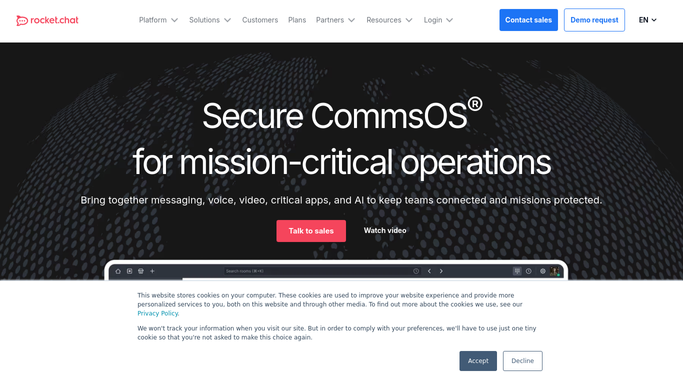
WebRun opens Rocket.Chat to find questions with no reply. - Sign in to Rocket.Chat and open each channel on your watch list
- Read messages posted since the last run and identify the ones asking a question or raising an issue
- Check whether each has a reply, a thread response, or a reaction that counts as handled
- Flag anything still unanswered after the wait time you set for that channel
- Capture who asked, when, the channel, and a one line summary of the ask
Done when Every unanswered question across the watched channels is identified.
-
2
Airtable - log each unanswered thread
airtable.com How to Automate Airtable

WebRun opens Airtable to log each unanswered thread. - Open your chat follow-up base in Airtable
- Add one row per unanswered question with the channel, the asker, the time waiting, and the summary
- Mark rows as answered once a reply appears in a later run
- Keep a weekly count per channel so you can see where questions pile up
- Never create a duplicate row for a thread already logged
Done when The Airtable base holds every open question with its waiting time.
-
3
Microsoft Teams - ping the channel owner
microsoft.com How to Automate Microsoft Teams

WebRun opens Microsoft Teams to ping the channel owner. - Post a short internal ping in Microsoft Teams to the owner of each affected channel
- List the open questions with the asker, the channel, and how long they have waited
- Put the longest waits first and link back to the Rocket.Chat message
- Stay silent when every question has been answered
- Never reply to the person in Rocket.Chat. The answer stays with a human
Done when Each channel owner knows which questions are still open.
How is each run configured?
Secure by default
Connect once, stays signed in
WebRun signs in once and keeps each session in a persistent environment, so every run picks up right where it left off.
Every action is checked against this policy before it runs.
Questions, answered
Will it answer the message itself?
No. WebRun never posts a reply in Rocket.Chat. It identifies the open question and tells a human, so nobody receives an automated answer pretending to be a colleague.
Which channels does it watch?
Only the ones you nominate, each with its own wait time. A customer channel can escalate after 30 minutes while an internal channel waits until the next working day.
How does it know a question was handled?
It checks for a reply, a thread response, or the reaction you nominate as an acknowledgement, and closes the Airtable row once one appears.
Related templates
Put this on autopilot.
Turn it on in minutes - or have our team set it up for you.