Catch stuck returns and escalate them before customers complain
Every morning, WebRun opens Loop Returns, identifies return requests that have not changed status in more than three days, appends each to an Airtable worklist with the last known status and days stuck, and posts a Slack alert so your ops team can investigate and unblock them before customers escalate.
- No credit card
- Under $0.01 per run
- Cancel anytime
How do I automatically catch returns that are stuck and not progressing?
WebRun opens Loop Returns every morning and identifies return requests that have not changed status in more than three days. Each stuck return is logged in Airtable with the days stuck and last status, and a Slack alert points your ops team to the worklist so every stalled return gets investigated before the customer notices.
- Stuck returns are caught within one day, not when the customer calls
- Ops team gets a daily Slack alert with a direct Airtable link
- Returns stuck more than five days are marked high priority automatically
Built for ecommerce brands · DTC retailers · Shopify merchants · returns ops teams
What does WebRun do on every run?
The exact actions WebRun takes, in order - in plain language, so you can adjust anything.
-
WebRun signs in and gets to work
Opens
app.loopreturns.comin a real browser with your saved login - no setup, no API keys. -
1
Loop Returns - find returns stuck without status change
loopreturns.com How to Automate Loop Returns
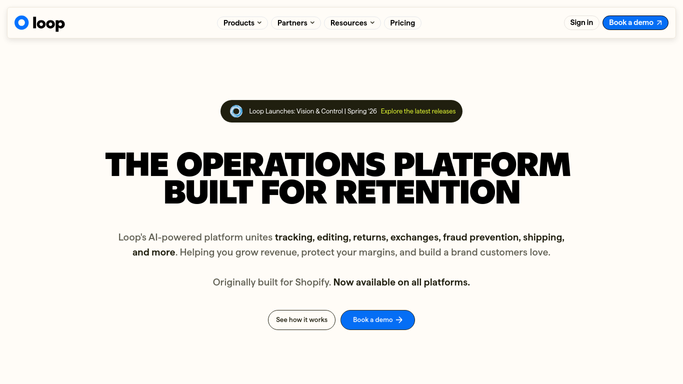
WebRun opens Loop Returns to find returns stuck without status change. - Open Loop Returns and filter to all open return requests
- Identify any request where the status has not changed in more than three days
- Capture customer name, order number, current status, return reason, and days since last update
Done when Every stuck return older than three days is identified with its details.
-
2
Airtable - log stuck returns to worklist
airtable.com How to Automate Airtable

WebRun opens Airtable to log stuck returns to worklist. - Append each stuck return as a new record in the Stuck Returns worklist base
- Include fields for customer, order number, status, days stuck, and return reason
- Mark records stuck more than five days as high priority
Done when All stuck returns are logged in the Airtable worklist with priority flags.
-
3
Slack - alert ops team to investigate
slack.com How to Automate Slack

WebRun opens Slack to alert ops team to investigate. - Post a Slack message to the returns ops channel with the count of stuck returns
- Highlight the longest-stuck request and link the team to the Airtable worklist
Done when Ops team is alerted in Slack with the count and a direct link to the worklist.
How is each run configured?
Secure by default
Connect once, stays signed in
WebRun signs in once and keeps each session in a persistent environment, so every run picks up right where it left off.
Every action is checked against this policy before it runs.
Questions, answered
Will it send any messages to the customer about their stuck return?
No. WebRun only alerts your internal ops team via Slack. Any customer-facing communication is drafted for human approval and never sent automatically.
What qualifies as stuck?
Any return whose Loop Returns status has not changed in more than three calendar days. Returns stuck more than five days are additionally marked high priority in Airtable.
What if no returns are stuck today?
WebRun posts a brief Slack confirmation that all returns are progressing normally, so your team always has a clear signal with no manual checking required.
Related templates
Put this on autopilot.
Turn it on in minutes - or have our team set it up for you.