Catch menu items whose cost has outrun their price
Every Monday, WebRun opens Restaurant365, recalculates each recipe's plate cost from the latest vendor purchase prices, reads the current menu price for that item in Toast, works out the food-cost percentage, and posts you a Slack list of dishes now over your target margin, worst first.
- No credit card
- Under $0.01 per run
- Cancel anytime
How do I flag menu items whose food cost has outrun their price automatically?
Every Monday, WebRun recalculates each recipe's plate cost in Restaurant365 from your latest vendor prices, reads the current menu price in Toast, and works out the food-cost percentage. It posts a Slack list of dishes now over your target margin, worst first, with the ingredients driving the rise, so eroding margins get caught before a full costing review.
- Margin erosion surfaces weekly instead of at the next menu review
- You see exactly which ingredient pushed a dish over target
- Repricing decisions rest on live plate costs, not stale recipe specs
Built for restaurant operators · culinary directors · restaurant controllers · multi-unit chefs
What does WebRun do on every run?
The exact actions WebRun takes, in order - in plain language, so you can adjust anything.
-
WebRun signs in and gets to work
Opens
my.restaurant365.comin a real browser with your saved login - no setup, no API keys. -
1
Restaurant365 - recost each recipe
restaurant365.com How to Automate Restaurant365
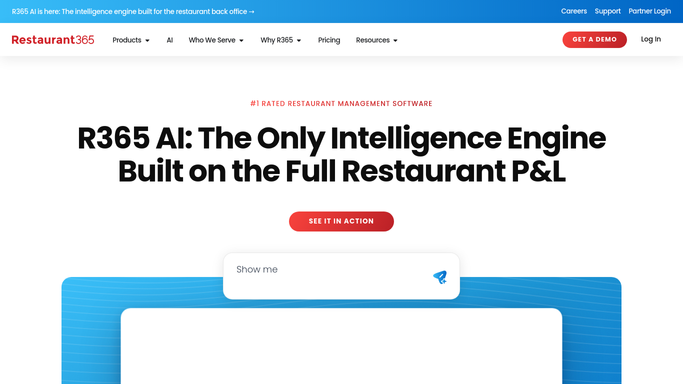
WebRun recalculates each recipe's plate cost in Restaurant365 from live vendor pricing. - Open Restaurant365 recipes and recalculate each plate cost using the latest vendor purchase prices
- Capture the new theoretical food cost per item and which ingredients moved
- Note recipes whose cost rose most since the last run
Done when Every menu recipe has an up-to-date plate cost from live vendor pricing.
-
2
Toast - read the live menu price
- Open Toast and read the current menu price for each recipe by location
- Divide the new plate cost by the menu price to get the food-cost percentage
- Compare that percentage to your target margin for the item
Done when Each item has a current food-cost percentage against its live menu price.
-
3
Slack - flag items over target margin
slack.com How to Automate Slack

WebRun posts the items over target margin to Slack. - Post a ranked list of items whose food cost now exceeds your target margin
- Show the old and new food-cost percentage and the ingredients that drove the rise
- Suggest the price that would restore target margin, but leave any menu change to a person
Done when The team has this week's margin-breach list in Slack.
How is each run configured?
Secure by default
Connect once, stays signed in
WebRun signs in once and keeps each session in a persistent environment, so every run picks up right where it left off.
Every action is checked against this policy before it runs.
Questions, answered
Will it change my menu prices in Toast?
No. WebRun only reads the current menu price in Toast and suggests a price that restores margin. Any actual menu or price change is left to a person, so nothing on your menu moves without you.
How does it know the true plate cost?
It recalculates each recipe in Restaurant365 using your latest vendor purchase prices, so the plate cost reflects what ingredients actually cost this week, not a stale spec written months ago.
Can it tell me which ingredient caused the overrun?
Yes. WebRun shows the ingredients that moved most on each flagged dish, so you can see whether a produce spike or a protein increase pushed the item past its target margin.
Related templates
Put this on autopilot.
Turn it on in minutes - or have our team set it up for you.