Draft this week's vendor payment run for sign-off
Every Monday, WebRun opens Restaurant365, finds approved AP bills coming due, groups them by vendor and location, stages a proposed payment run in Ramp, leaves every payment queued but unsent for a human, and posts you a Slack summary of who would be paid, how much, and from which account.
- No credit card
- Under $0.01 per run
- Cancel anytime
How do I prepare a vendor payment run for approval automatically?
Every Monday, WebRun reviews approved AP bills coming due in Restaurant365, then stages a proposed payment run in Ramp grouped by vendor and location. It leaves the whole run queued but unsent and posts you a Slack summary of who would be paid, how much, and from which account, so a person releases payment with the full picture in hand.
- A ready-to-release payment run is prepared every week without hand-keying
- The approver sees totals, funding accounts, and expiring discounts before releasing
- No payment ever leaves without a human sign-off
Built for restaurant controllers · AP managers · multi-unit operators · restaurant finance teams
What does WebRun do on every run?
The exact actions WebRun takes, in order - in plain language, so you can adjust anything.
-
WebRun signs in and gets to work
Opens
my.restaurant365.comin a real browser with your saved login - no setup, no API keys. -
1
Restaurant365 - find approved bills due
restaurant365.com How to Automate Restaurant365
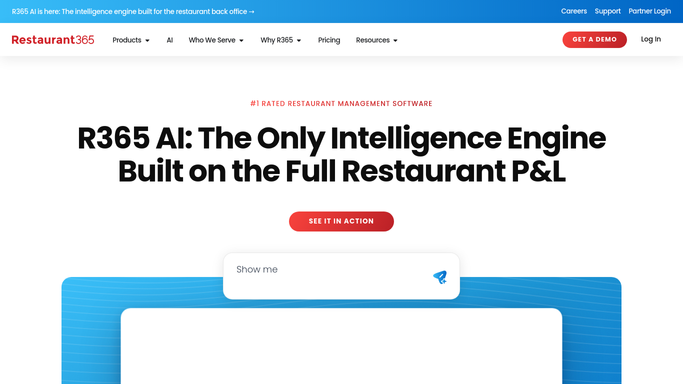
WebRun finds approved AP bills coming due in Restaurant365. - Open Restaurant365 AP and filter to approved bills due within the payment window
- Capture the vendor, amount, due date, location, and any early-pay discount
- Skip bills that are unapproved, on hold, disputed, or already paid
Done when Every approved bill due this run is listed with its vendor, amount, and due date.
-
2
Ramp - stage the payment run
ramp.com How to Automate Ramp
WebRun stages the proposed vendor payment run in Ramp and leaves it unsent. - Open Ramp and stage a payment for each due bill against the correct vendor and funding account
- Group payments by vendor and location and apply any early-pay discount
- Leave the entire run queued as a draft and unsent, never release or send a payment on its own
Done when A complete payment run sits staged in Ramp, queued but unsent.
-
3
Slack - summarize the proposed run
slack.com How to Automate Slack

WebRun posts the proposed payment run summary to Slack. - Post a summary of the proposed run with total, per-vendor amounts, and funding account
- Flag the largest payments and any early-pay discounts about to expire
- Note that the run is staged and waiting for a person to release it
Done when The approver has this week's proposed payment run summary in Slack.
How is each run configured?
Secure by default
Connect once, stays signed in
WebRun signs in once and keeps each session in a persistent environment, so every run picks up right where it left off.
Every action is checked against this policy before it runs.
Questions, answered
Will it actually pay vendors on its own?
No. WebRun only stages the payment run in Ramp and leaves it queued and unsent. A person reviews the vendors and amounts and releases the run, so no money moves without your approval.
Which bills does it include in the run?
Only bills already approved in Restaurant365 and due within your payment window. It skips anything unapproved, on hold, disputed, or already paid, so the proposed run reflects real, approved obligations.
Does it handle early-pay discounts?
Yes. WebRun flags bills with an early-pay discount and highlights any about to expire in the Slack summary, so the approver can capture the savings before releasing the run.
Related templates
Put this on autopilot.
Turn it on in minutes - or have our team set it up for you.