Draft caregiver handoff notes before every relief shift
Every 30 minutes, WebRun opens Alora, finds respite shifts starting within the next 2 hours, pulls the client's current care plan and most recent notes, drafts a handoff summary in Gmail for the incoming caregiver, and flags it in Slack for a supervisor to review before it goes out.
- No credit card
- Under $0.01 per run
- Cancel anytime
How do I make sure relief caregivers get a current handoff note?
WebRun checks Alora every 30 minutes for respite shifts starting within 2 hours, pulls the client's care plan and most recent notes, and drafts a handoff summary in Gmail for the incoming caregiver. It flags the draft in Slack for a supervisor to review, so every relief caregiver arrives with an approved, current handoff note.
- Relief caregivers get a written handoff note instead of a rushed verbal recap
- Every note reflects the most recent care plan update automatically
- A supervisor reviews and approves each note before it reaches the caregiver
Built for respite care agencies · home care supervisors · relief caregiver coordinators · shift schedulers
What does WebRun do on every run?
The exact actions WebRun takes, in order - in plain language, so you can adjust anything.
-
WebRun signs in and gets to work
Opens
www.alorahealth.comin a real browser with your saved login - no setup, no API keys. -
1
Alora - find the client's current care plan and notes
alorahealth.com How to Automate Alora
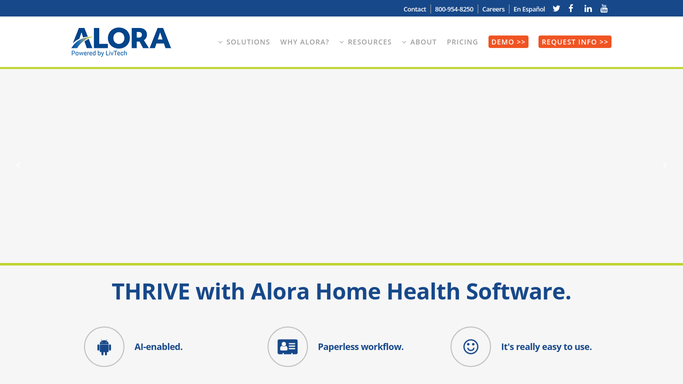
WebRun opens Alora to find the client's current care plan and notes. - Open Alora and find every respite shift starting within the next 2 hours
- Pull the client's current care plan, routine, and the most recent caregiver notes
- Note any recent incident, care plan change, or medication timing update
Done when Every upcoming shift has its current care plan and recent notes pulled.
-
2
Gmail - draft the handoff note
gmail.com How to Automate Gmail

WebRun opens Gmail to draft the handoff note. - Draft a handoff note summarizing routine, preferences, and any recent update for the incoming caregiver
- Address it to the caregiver's on-file agency email
- Leave the draft unsent for a supervisor to review before it goes out
Done when A handoff note draft exists in Gmail for every caregiver starting a shift within 2 hours.
-
3
Slack - flag it for supervisor review
slack.com How to Automate Slack

WebRun opens Slack to flag it for supervisor review. - Post a flag to the scheduling channel noting a handoff draft is ready for review
- Tag the supervisor on duty
Done when A supervisor has been notified that a handoff draft is waiting in Gmail.
How is each run configured?
Secure by default
Connect once, stays signed in
WebRun signs in once and keeps each session in a persistent environment, so every run picks up right where it left off.
Every action is checked against this policy before it runs.
Questions, answered
Does it send the handoff note straight to the caregiver?
No. WebRun drafts the note in Gmail and leaves it unsent. A supervisor reviews and sends it, so nothing reaches a caregiver's inbox unchecked.
What level of detail is in the handoff note?
Routine, preferences, and any recent care plan change or medication timing update. It mirrors what is already in the client's Alora record, nothing beyond what the incoming caregiver is authorized to see.
How soon before a shift is the note ready?
About 2 hours ahead. WebRun checks every 30 minutes for shifts starting soon, so there is time for a supervisor to review before the caregiver arrives.
Related templates
Put this on autopilot.
Turn it on in minutes - or have our team set it up for you.