Close out stale assignments before they pile up
Every Monday, WebRun opens RDN, finds assignments that have sat open past your close out window, logs them to a Google Sheet with days open, and posts your team a Slack list of what needs to be closed or returned.
- No credit card
- Under $0.01 per run
- Cancel anytime
How do I know which repo assignments need to be closed or returned to the lender?
WebRun opens RDN every Monday, finds assignments still in progress past your close out window, commonly 30 to 45 days, and logs each one to a Google Sheet with debtor, vehicle, and days open. It then posts your team a Slack list sorted oldest first, so nothing quietly ages past the point a lender expects it closed or returned.
- Aging assignments surface before a lender has to ask about them
- Your team gets one sorted list of what to close or return each Monday
- A running Google Sheet shows whether the aging backlog is growing or shrinking
Built for repossession agencies · recovery operations managers · forwarding company account managers
What does WebRun do on every run?
The exact actions WebRun takes, in order - in plain language, so you can adjust anything.
-
WebRun signs in and gets to work
Opens
www.recoverydatabase.netin a real browser with your saved login - no setup, no API keys. -
1
RDN (Recovery Database Network) - find assignments open too long
recoverydatabase.net How to Automate RDN (Recovery Database Network)
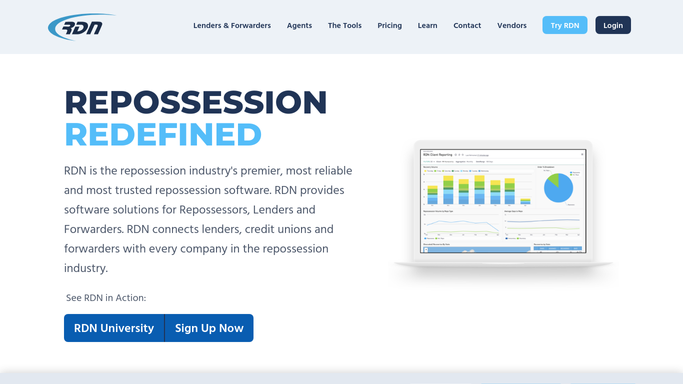
WebRun opens RDN (Recovery Database Network) to find assignments open too long. - Open RDN and filter assignments still in progress
- Calculate how many days each has been open since assignment
- Flag any past your agency's close out window, commonly 30 to 45 days
Done when Every open assignment has a days open count and a flag if it's past your window.
-
2
Google Sheets - log days open
google.com How to Automate Google Sheets

WebRun opens Google Sheets to log days open. - Open the aging assignments tracker
- Add or update a row for each flagged assignment with debtor, vehicle, lienholder, and days open
- Keep prior weeks so you can see how the aging list is trending
Done when The tracker shows every flagged assignment and how long it has been open.
-
3
Slack - list what needs closing
slack.com How to Automate Slack

WebRun opens Slack to list what needs closing. - Post your team a list of assignments past the close out window
- Sort oldest first so the most overdue cases stand out
- Note whether each needs a status change to unable to locate or a return to the lender
Done when Your team has this week's list of assignments to close, return, or push forward.
How is each run configured?
Secure by default
Connect once, stays signed in
WebRun signs in once and keeps each session in a persistent environment, so every run picks up right where it left off.
Every action is checked against this policy before it runs.
Questions, answered
Does it close or return the assignment on its own?
No. It only flags and lists which assignments have passed your close out window. Changing a case's status to unable to locate or returning it to the lender is always a decision your team makes in RDN.
What counts as too long open?
You set the window. Most agencies use 30 to 45 days without a recovery, matching common lender contracts. WebRun checks every open assignment's age against whatever number you give it.
Does the aging list carry over week to week?
Yes. The Google Sheet keeps prior snapshots, so you can see whether the same assignments keep aging or whether last week's flagged cases actually got closed.
Related templates
Put this on autopilot.
Turn it on in minutes - or have our team set it up for you.