Know what you are running and what it costs
Every month, WebRun signs in to the Render dashboard, lists every service, database, and cron job with its plan, region, and current status, files a dated report in Google Drive alongside last month's, and drafts a Gmail summary to the budget owner that stays unsent until you approve it.
- No credit card
- Under $0.01 per run
- Cancel anytime
How do I keep a monthly record of what we run on our hosting platform?
WebRun inventories your Render account every month. It lists every service, database, and cron job with its plan, region, status, and last deploy, files a dated report in Google Drive next to last month's, and drafts a Gmail summary that you approve before it reaches the budget owner.
- Every running service is accounted for once a month
- Stale or suspended services surface as removal candidates
- The budget owner gets a reviewed summary, never an unchecked one
Built for engineering teams · startup CTOs · platform engineers · finance operations
What does WebRun do on every run?
The exact actions WebRun takes, in order - in plain language, so you can adjust anything.
-
WebRun signs in and gets to work
Opens
dashboard.render.comin a real browser with your saved login - no setup, no API keys. -
1
Render - inventory every service
render.com
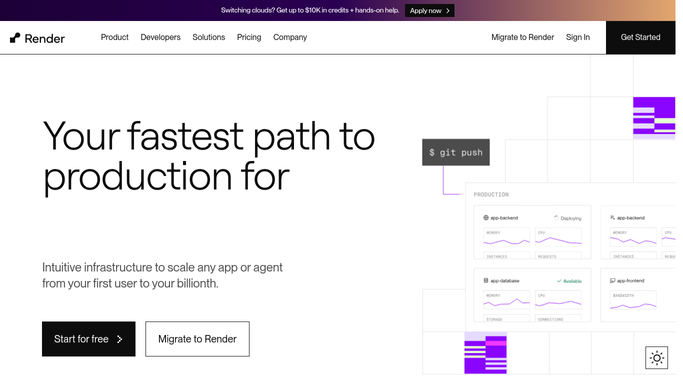
WebRun opens Render to inventory every service. - Sign in to the Render dashboard and open your workspace
- List every web service, background worker, database, and cron job
- Capture the plan, the region, the current status, and the last deploy date for each
- Mark anything suspended, failing, or with no deploy inside your stale window
Done when Every service in the workspace is captured with its plan and status.
-
2
Google Drive - file the dated report
drive.google.com How to Automate Google Drive

WebRun opens Google Drive to file the dated report. - Open the infrastructure folder in Google Drive and create this month's dated report
- Write one row per service with plan, region, status, and last deploy
- Add a section listing what changed since last month's report
- Keep previous reports so plan changes are traceable
Done when This month's service report is filed beside the previous month's.
-
3
Gmail - draft the summary for approval
gmail.com How to Automate Gmail

WebRun opens Gmail to draft the summary for approval. - Draft an email to the budget owner summarising the service count, the plan mix, and what changed
- Link the full report in Google Drive rather than pasting the whole table
- Call out suspended or stale services as candidates to remove
- Leave the email unsent in Drafts for a human to review and send
Done when A monthly summary email is drafted and waiting for approval.
How is each run configured?
Secure by default
Connect once, stays signed in
WebRun signs in once and keeps each session in a persistent environment, so every run picks up right where it left off.
Every action is checked against this policy before it runs.
Questions, answered
Can it suspend, delete, or resize a service?
No. WebRun reads the dashboard and records what it finds. It never suspends a service, never changes a plan, never triggers a deploy, and never deletes anything.
Does it send the summary email itself?
No. The email is left unsent in Gmail Drafts. Someone reads it and presses send, so a budget owner never receives an unreviewed report.
Does it read environment variables or secrets?
No. The run records service names, plans, regions, statuses, and deploy dates only. Environment variables, secret files, and logs are never opened or copied.
Related templates
Put this on autopilot.
Turn it on in minutes - or have our team set it up for you.