Track every new entity formation from filing to approval
Every morning, WebRun opens Athennian, finds every entity still pending state formation approval, logs the state, filing date, and current status to a shared Google Sheet, and pings your Telegram channel the moment any entity's status changes to approved.
- No credit card
- Under $0.01 per run
- Cancel anytime
How do I track the status of entity formations still pending with the state?
WebRun checks Athennian every morning for entities still pending state formation approval, logs each one's state, filing date, and status to a shared Google Sheet, and pings Telegram the instant any entity's status changes to approved, so your team always has a current view of every formation in flight without checking each state portal by hand.
- Every pending formation is visible in one sheet without checking state portals by hand
- Approvals reach your team in Telegram within a day of the state processing them
- Entities flagged for correction are surfaced instead of sitting unnoticed
Built for registered agent services · corporate compliance teams · business formation services · paralegals
What does WebRun do on every run?
The exact actions WebRun takes, in order - in plain language, so you can adjust anything.
-
WebRun signs in and gets to work
Opens
www.athennian.comin a real browser with your saved login - no setup, no API keys. -
1
Athennian - check pending formation status
athennian.com How to Automate Athennian
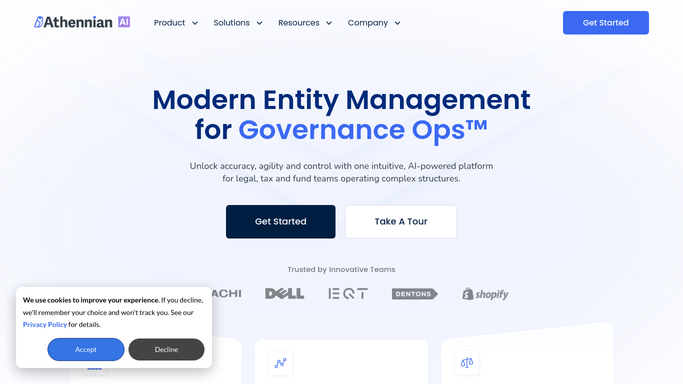
WebRun opens Athennian to check pending formation status. - Open Athennian and filter entities to formations still pending state approval
- Capture the state, filing date, and days pending for each
- Note any entity flagged with a state query or rejection
Done when Every pending formation is listed with its state, filing date, and current status.
-
2
Google Sheets - log the status of each entity
google.com How to Automate Google Sheets

WebRun opens Google Sheets to log the status of each entity. - Open the formation tracker sheet and update each entity's row with the latest status
- Add a new row for any entity not already tracked
- Highlight entities pending longer than the state's typical turnaround
Done when The tracker sheet matches Athennian's current formation status for every entity.
-
3
Telegram - ping when a formation is approved
telegram.org How to Automate Telegram

WebRun opens Telegram to ping when a formation is approved. - Send a short message when an entity's status changes to approved
- Include the entity name, state, and approval date
- Send a weekly summary of everything still pending
Done when Your team gets a Telegram ping for every new approval and a weekly pending summary.
How is each run configured?
Secure by default
Connect once, stays signed in
WebRun signs in once and keeps each session in a persistent environment, so every run picks up right where it left off.
Every action is checked against this policy before it runs.
Questions, answered
Does it file anything with the state itself?
No. It only reads the formation status Athennian already tracks and logs it. WebRun never submits or amends a state filing on its own.
How current is the tracker sheet?
It matches Athennian's live status every morning, so the sheet never drifts far from your system of record.
What if a state flags a filing for correction?
It notes the flag in the sheet and calls it out so a person can review and fix the filing. It does not attempt the correction itself.
Related templates
Put this on autopilot.
Turn it on in minutes - or have our team set it up for you.