Get a weekly check on where your bot loses the plot
Every Monday, WebRun opens Rasa, reads last week's conversation fallback rate and the intents the model missed most often, books a model review meeting on Google Calendar whenever the fallback rate trends above target, and posts the full summary to Microsoft Teams for the bot team.
- No credit card
- Under $0.01 per run
- Cancel anytime
How do I track my Rasa chatbot's weekly fallback rate?
WebRun checks Rasa every Monday for last week's conversation fallback rate and the intents the model missed most, books a Google Calendar review meeting whenever the rate trends above target, and posts the summary to Microsoft Teams. Model training priorities get set from real weekly data instead of a hunch about what the bot is missing.
- Fallback trends are reviewed every week instead of after complaints pile up
- Model review meetings get booked automatically when they're needed
- Top missed intents are named so training time targets the right gaps
Built for Conversational AI teams · bot developers · machine learning engineers · customer service tech teams
What does WebRun do on every run?
The exact actions WebRun takes, in order - in plain language, so you can adjust anything.
-
WebRun signs in and gets to work
Opens
rasa.comin a real browser with your saved login - no setup, no API keys. -
1
Rasa - read last week's fallback rate
rasa.com
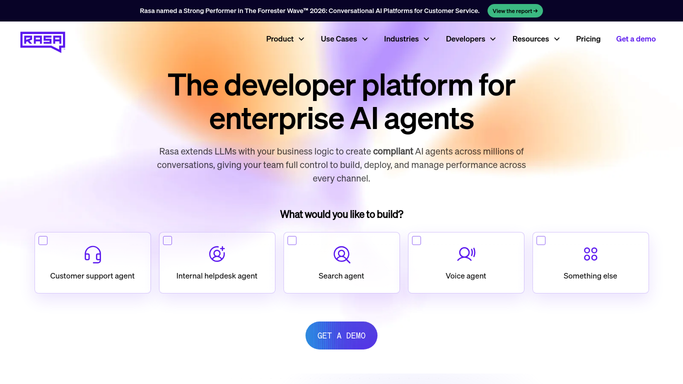
WebRun opens Rasa to read last week's fallback rate. - Open Rasa and check last week's conversation logs
- Read the fallback rate and the intents missed most often
- Compare the fallback rate against the prior week
Done when Last week's fallback rate and top missed intents are captured.
-
2
Google Calendar - book a model review if it's high
calendar.google.com How to Automate Google Calendar

WebRun opens Google Calendar to book a model review if it's high. - Book a model review meeting on the bot team calendar if fallback rate is trending above target
- Attach the missed intents to the event
- Skip booking if fallback rate stayed within target
Done when A review meeting exists whenever fallback rate needs attention.
-
3
Microsoft Teams - post the summary
microsoft.com How to Automate Microsoft Teams

WebRun opens Microsoft Teams to post the summary. - Post the fallback rate, the trend, and top missed intents to the bot team channel
- Link to the review meeting if one was booked
- Keep the message as a status report
Done when The bot team has this week's fallback summary in Teams.
How is each run configured?
Secure by default
Connect once, stays signed in
WebRun signs in once and keeps each session in a persistent environment, so every run picks up right where it left off.
Every action is checked against this policy before it runs.
Questions, answered
Will it retrain the model itself?
No. WebRun only reports the fallback rate and missed intents and books time to discuss them. Retraining the model stays with your team.
What counts as a high fallback rate?
Whatever target you set for your bot. Only weeks that trend above that target get a booked review meeting.
Does it read actual user conversations?
It reads aggregate fallback and intent-miss statistics from Rasa, not individual conversation transcripts, to build the summary.
Related templates
Put this on autopilot.
Turn it on in minutes - or have our team set it up for you.