Get a weekly scorecard for your Rakuten Securities portfolio
Every Monday, WebRun opens Rakuten Securities, reads holdings and account balances including any NISA tax advantaged account, logs the week to a Google Sheet, and emails you a short scorecard comparing this week against last.
- No credit card
- Under $0.01 per run
- Cancel anytime
How do I get a weekly scorecard for my Rakuten Securities portfolio?
WebRun checks your Rakuten Securities holdings every Monday, reading total value across your taxable and NISA accounts and comparing it against the previous week. It logs the numbers to a Google Sheet that builds a running history and emails you a short scorecard with total value and biggest mover, so tracking performance takes no daily effort.
- Portfolio value across accounts is checked and logged every single Monday
- A running weekly history builds up in Sheets automatically
- NISA and taxable account value stay visible side by side
Built for Rakuten Securities investors · Japanese retail investors · NISA account holders · long term investors
What does WebRun do on every run?
The exact actions WebRun takes, in order - in plain language, so you can adjust anything.
-
WebRun signs in and gets to work
Opens
www.rakuten-sec.co.jpin a real browser with your saved login - no setup, no API keys. -
1
Rakuten Securities - check holdings and balances
rakuten-sec.co.jp
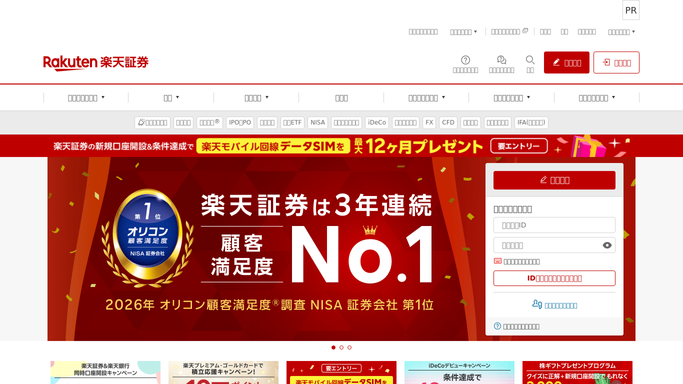
WebRun opens Rakuten Securities to check holdings and balances. - Open Rakuten Securities and review holdings across taxable and NISA accounts
- Note total portfolio value and cash balance
- Compare total value against last Monday's figure
Done when This week's holdings and total value across accounts are recorded.
-
2
Google Sheets - log this week's numbers
google.com How to Automate Google Sheets

WebRun opens Google Sheets to log this week's numbers. - Open the portfolio tracker sheet
- Append a new row with this week's total value and the change from last week
- Keep one column per account type so allocation is visible over time
Done when The tracker sheet has a new row for this week with every account filled in.
-
3
Gmail - email the scorecard
gmail.com How to Automate Gmail

WebRun opens Gmail to email the scorecard. - Draft a short scorecard email with total value, weekly change, and biggest mover
- Send it to yourself as this week's record
- Never place, cancel, or modify an order on Rakuten Securities
Done when Your inbox has this week's scorecard and the sheet has the matching row.
How is each run configured?
Secure by default
Connect once, stays signed in
WebRun signs in once and keeps each session in a persistent environment, so every run picks up right where it left off.
Every action is checked against this policy before it runs.
Questions, answered
Will WebRun trade on my behalf on Rakuten Securities?
No. WebRun only reads your holdings and balances and reports on them. It never places, cancels, or modifies an order on Rakuten Securities and never moves funds. Any trading decision stays entirely yours.
Does it track my NISA account separately?
Yes. It reads your taxable and NISA accounts separately and reports value for each in the weekly row, so you can see the split at a glance.
Can I see trends over months, not just week to week?
Yes. Every week adds a new row to the same sheet, so scrolling back shows the full history rather than only the latest scorecard.
Related templates
Put this on autopilot.
Turn it on in minutes - or have our team set it up for you.