Start every week knowing exactly where revenue stands
Every Monday, WebRun opens CourtReserve for court booking and program revenue, checks Stripe for membership and payment totals, combines the figures into a weekly revenue breakdown by stream, logs the results to a Google Sheet, and posts the report to Slack for management.
- No credit card
- Under $0.01 per run
- Cancel anytime
How do I automatically generate a weekly revenue report for my racquet sports club?
WebRun pulls last week's revenue from CourtReserve and Stripe every Monday, breaks it down by court bookings, clinics, lessons, leagues, and memberships, and logs the totals to a Google Sheet. A clean revenue report with week-on-week changes is posted to Slack before the management meeting, with declining streams flagged.
- Management see last week's revenue breakdown before the Monday meeting
- Declining revenue streams are flagged automatically so nothing goes unnoticed
- A running Google Sheet builds the historical record needed for seasonal planning
Built for tennis club owners · pickleball facility managers · racquet sports club directors · club finance teams
What does WebRun do on every run?
The exact actions WebRun takes, in order - in plain language, so you can adjust anything.
-
WebRun signs in and gets to work
Opens
app.courtreserve.comin a real browser with your saved login - no setup, no API keys. -
1
CourtReserve - pull court and program revenue
courtreserve.com
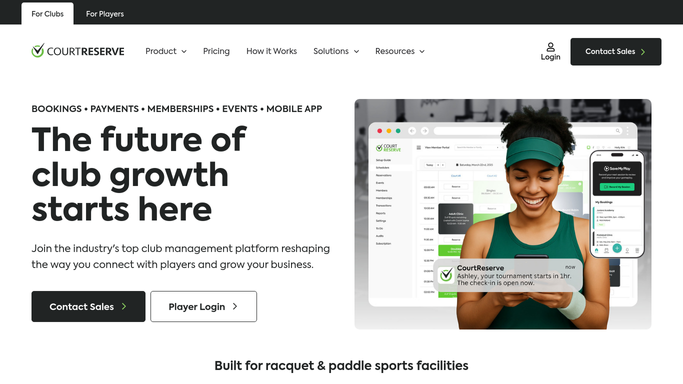
WebRun opens CourtReserve to pull court and program revenue. - Open CourtReserve and navigate to the financial or reports section
- Filter for the previous Monday to Sunday date range
- Capture total revenue from court bookings, clinics, lessons, and league registrations
- Note the number of transactions and any refunds or credits for each category
Done when Last week's CourtReserve revenue is captured by category with transaction counts.
-
2
Stripe - pull membership and payment totals
stripe.com How to Automate Stripe

WebRun opens Stripe to pull membership and payment totals. - Open Stripe and filter payments for the previous Monday to Sunday date range
- Capture total successful charges, membership subscription revenue, and failed payment count
- Note any refunds or disputes from the week
Done when Last week's Stripe membership and payment totals are captured with refund and dispute counts.
-
3
Google Sheets - log weekly revenue breakdown
google.com How to Automate Google Sheets

WebRun opens Google Sheets to log weekly revenue breakdown. - Open the weekly revenue tracking sheet
- Append a new row for last week with the date range, each revenue stream total, and the combined weekly total
- Update the week-on-week change column and any rolling charts in the sheet
Done when Last week's revenue breakdown is logged in the tracking sheet with week-on-week changes calculated.
-
4
Slack - post revenue report to management
slack.com How to Automate Slack

WebRun opens Slack to post revenue report to management. - Post the weekly revenue report to the management channel showing each revenue stream total and the combined weekly figure
- Include the week-on-week change for the combined total
- Flag any revenue stream that declined more than 10% from the prior week
Done when Management have last week's revenue breakdown in Slack with declining streams flagged.
How is each run configured?
Secure by default
Connect once, stays signed in
WebRun signs in once and keeps each session in a persistent environment, so every run picks up right where it left off.
Every action is checked against this policy before it runs.
Questions, answered
Does this report send anything to members or external parties?
No. The weekly revenue report is an internal digest posted to Slack and logged in Google Sheets only. No data leaves the internal channels.
Which revenue streams does it cover?
It covers court bookings, clinics, lessons, and league registrations from CourtReserve plus membership subscription and one-time payment revenue from Stripe.
What if there was a week with no activity in one stream?
Zero-revenue streams are included in the report with a zero value and flagged as a change from the prior week so management can spot the drop immediately.
Related templates
Put this on autopilot.
Turn it on in minutes - or have our team set it up for you.