Win back lapsed members with a personalised offer
Every Monday, WebRun opens CourtReserve, finds members whose memberships lapsed in the past 90 days who have not yet been contacted for win-back, drafts a personalised return offer email for each one, queues every draft in Gmail for staff review, and posts a win-back pipeline summary to Slack.
- No credit card
- Under $0.01 per run
- Cancel anytime
How do I automatically win back lapsed tennis or pickleball club members?
WebRun opens CourtReserve every Monday, finds members who lapsed within the past 90 days and have not yet been contacted, and drafts a personalised win-back email for each one in Gmail. Staff review and approve every draft before sending. A pipeline summary with longest-lapsed members highlighted is posted to Slack.
- Lapsed members are contacted within 90 days before they fully disengage
- Win-back emails are personalised with the member's former tier, not generic blasts
- Staff review every draft before sending so the tone stays on-brand
Built for tennis clubs · pickleball clubs · racquet sports clubs · membership directors
What does WebRun do on every run?
The exact actions WebRun takes, in order - in plain language, so you can adjust anything.
-
WebRun signs in and gets to work
Opens
app.courtreserve.comin a real browser with your saved login - no setup, no API keys. -
1
CourtReserve - find recently lapsed members
courtreserve.com
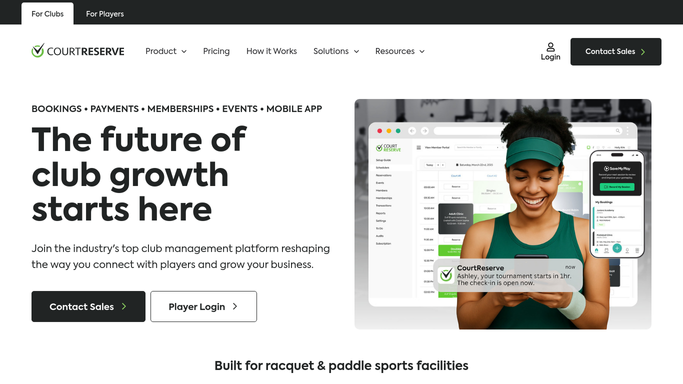
WebRun opens CourtReserve to find recently lapsed members. - Open CourtReserve and filter the Members section for lapsed status
- Narrow to members who lapsed within the past 90 days
- Capture each member's name, email, former membership tier, and lapse date
- Skip members already contacted in this win-back cycle
Done when Every recently lapsed member not yet contacted is listed with their details.
-
2
Gmail - draft personalised win-back offers
gmail.com How to Automate Gmail

WebRun opens Gmail to draft personalised win-back offers. - Draft a personalised win-back email for each lapsed member referencing their former tier and how long they have been away
- Include a return offer or a simple invitation to come back
- Save every email as a draft for staff review. Do not send without approval
Done when A personalised win-back draft is queued in Gmail for every eligible lapsed member.
-
3
Slack - post win-back pipeline to staff
slack.com How to Automate Slack

WebRun opens Slack to post win-back pipeline to staff. - Post a win-back pipeline summary listing the number of lapsed members targeted this week with their former tiers
- Note how many Gmail drafts are waiting for staff review
- Flag members lapsed for over 60 days as longest-uncontacted for priority review
Done when Staff have a win-back pipeline overview in Slack with longest-lapsed members highlighted.
How is each run configured?
Secure by default
Connect once, stays signed in
WebRun signs in once and keeps each session in a persistent environment, so every run picks up right where it left off.
Every action is checked against this policy before it runs.
Questions, answered
Will it contact lapsed members without staff approval?
No. Every win-back email is saved as a Gmail draft for staff to review and approve. No message reaches a former member until a human signs off.
How far back does it look for lapsed members?
It looks at members who lapsed within the past 90 days by default, so the outreach targets people who are still warm and likely to return.
Will it contact the same lapsed member repeatedly each week?
No. Members already contacted in this win-back cycle are skipped so no lapsed member receives more than one outreach attempt per cycle.
Related templates
Put this on autopilot.
Turn it on in minutes - or have our team set it up for you.