Verify critical user journeys are working every hour
Every hour, WebRun opens your production app and walks through each configured critical user journey - login, sign-up, checkout, or whichever flows matter most - records whether each step succeeds, logs the result to Datadog, and raises a PagerDuty incident and Slack alert the moment any step fails.
- No credit card
- Under $0.01 per run
- Cancel anytime
How can I automatically verify that critical user journeys are working every hour?
WebRun verifies your critical user journeys every hour so broken flows are caught before customers notice. It walks through your configured flows - login, sign-up, checkout - records pass or fail at each step, logs results to Datadog, and raises a PagerDuty incident and Slack alert the instant any step fails.
- Broken user flows detected within the hour, not after customer complaints
- Every test result logged to Datadog for trend analysis
- On-call team paged instantly when a journey fails
Built for QA engineers · SRE teams · product engineers · e-commerce operations
What does WebRun do on every run?
The exact actions WebRun takes, in order - in plain language, so you can adjust anything.
-
WebRun signs in and gets to work
Opens
app.datadoghq.com/syntheticsin a real browser with your saved login - no setup, no API keys. -
1
Your app - walk through each critical user journey
- Open your production URL and walk through each configured journey in sequence (e.g. load homepage → click Sign Up → fill form → confirm account created)
- Record a pass or fail for each step and capture the page title and any error messages on failure
- Use a dedicated test account so real user data is never touched
Done when Every step of every configured user journey has a pass/fail result.
-
2
Datadog - log run results and latency
datadoghq.com
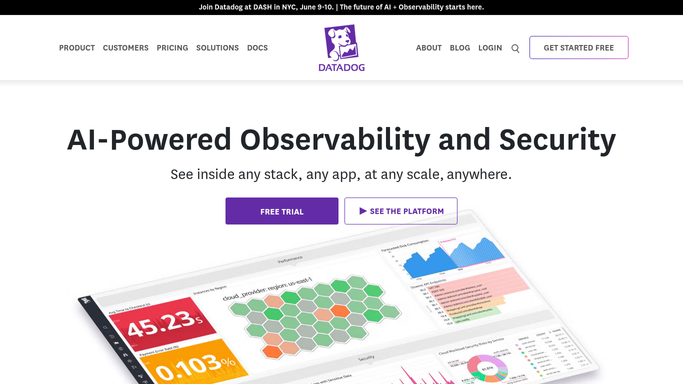
WebRun opens Datadog to log run results and latency. - Open Datadog Synthetics and log each journey run result with step-level latency and status
- Update the corresponding synthetic test's last-run status
Done when All journey results are recorded in Datadog with timestamps and latencies.
-
3
PagerDuty - raise an incident on journey failure
pagerduty.com How to Automate PagerDuty
WebRun opens PagerDuty to raise an incident on journey failure. - If any journey step failed, open PagerDuty and create an incident naming the affected journey and failing step
- Set severity based on journey criticality (Checkout failure = Critical; Login failure = High)
Done when A PagerDuty incident is open for every failed user journey.
-
4
Slack - alert the team with the failing step
slack.com How to Automate Slack

WebRun opens Slack to alert the team with the failing step. - Post an alert to #qa-monitoring with the journey name, the failing step, and a link to the Datadog run recording
- If all journeys passed, post a brief 'All journeys healthy' message
Done when The team has been notified - failure details or an all-clear.
How is each run configured?
Secure by default
Connect once, stays signed in
WebRun signs in once and keeps each session in a persistent environment, so every run picks up right where it left off.
Every action is checked against this policy before it runs.
Questions, answered
Will it create real orders or accounts when testing checkout and sign-up?
No - it uses a dedicated test account and test-mode payment credentials, so nothing real is created or charged.
Can it test journeys that require multi-factor authentication?
Yes. Configure the test account with a TOTP or bypass code in the plan, and WebRun handles it the same as a real user would.
How quickly does it alert after a failure?
Within minutes of the failing run - the alert fires as soon as the journey check completes, not at the top of the next hour.
Related templates
Put this on autopilot.
Turn it on in minutes - or have our team set it up for you.