Follow up on every open pressure washing quote before it goes cold
Every morning, WebRun opens Workiz, finds estimates that are still open after two or more days, drafts a short follow-up email for each prospect in Gmail, and logs every outstanding quote to a Google Sheet so you have a clear daily pipeline view.
- No credit card
- Under $0.01 per run
- Cancel anytime
How do I automatically follow up on open pressure washing quotes?
Every morning WebRun opens Workiz, finds estimates that have been sitting open for two or more days, and drafts a personal follow-up email for each prospect in Gmail ready for your review. It also logs every outstanding quote to Google Sheets so you start each day with a clear view of your open pipeline.
- Open quotes get a follow-up within two days, not forgotten
- Every draft is ready to send in one click, no copy-pasting needed
- Pipeline sheet gives you a daily view of all open revenue
Built for pressure washing business owners · exterior cleaning sales teams · field service estimators
What does WebRun do on every run?
The exact actions WebRun takes, in order - in plain language, so you can adjust anything.
-
WebRun signs in and gets to work
Opens
app.workiz.comin a real browser with your saved login - no setup, no API keys. -
1
Workiz - find open estimates past follow-up threshold
workiz.com How to Automate Workiz
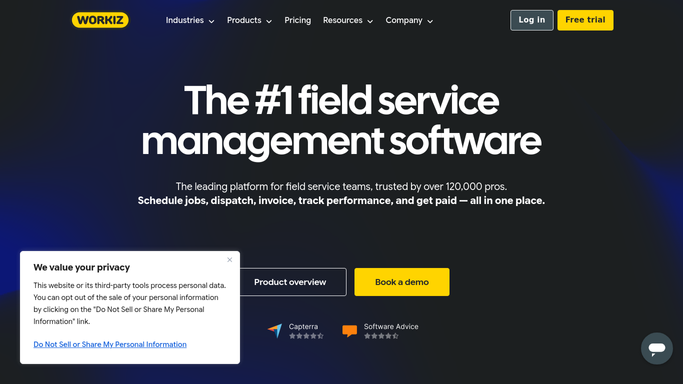
WebRun opens Workiz to find open estimates past follow-up threshold. - Open Workiz and navigate to Estimates
- Filter to estimates with status Sent and sent date two or more days ago
- Capture the prospect name, contact email, estimate amount, and job type for each
Done when Every open estimate past the follow-up threshold is listed with its details.
-
2
Gmail - draft follow-up email for each prospect
gmail.com How to Automate Gmail

WebRun opens Gmail to draft follow-up email for each prospect. - Draft a short, friendly follow-up email for each prospect referencing their specific job type and quote amount
- Leave every draft unsent in Gmail for your review before sending
- Flag each draft with the label 'Quote Follow-Up' for easy filtering
Done when A draft follow-up email exists in Gmail for every open estimate, ready for your review.
-
3
Google Sheets - log outstanding quotes to pipeline sheet
google.com How to Automate Google Sheets

WebRun opens Google Sheets to log outstanding quotes to pipeline sheet. - Open the quote pipeline Google Sheet
- Add a row for each open estimate with prospect name, amount, days open, and follow-up status
- Mark any quote that already has a draft follow-up as 'Drafted'
Done when The pipeline sheet reflects every open quote and its current follow-up status.
How is each run configured?
Secure by default
Connect once, stays signed in
WebRun signs in once and keeps each session in a persistent environment, so every run picks up right where it left off.
Every action is checked against this policy before it runs.
Questions, answered
Will it send the follow-up emails without my approval?
No. Every follow-up email is drafted and left unsent in Gmail for you to review and send. Nothing goes to a customer until you approve it.
How many days does it wait before drafting a follow-up?
The default threshold is two days after the estimate was sent. You can tell WebRun to use a different window during setup.
What if a quote was already accepted or declined?
WebRun reads the live status in Workiz each morning, so accepted or declined estimates are skipped and only genuinely open ones get a follow-up draft.
Related templates
Put this on autopilot.
Turn it on in minutes - or have our team set it up for you.