Offer lease renewals before tenants leave
Every week, WebRun opens DoorLoop, finds leases ending in the next 90 days, drafts a renewal offer email to each tenant in Gmail with the proposed term and rent, leaves it unsent for your review, and posts you a Slack list of renewals to act on, soonest first.
- No credit card
- Under $0.01 per run
- Cancel anytime
How do I send lease renewal offers before leases expire?
Every week, WebRun checks DoorLoop for leases ending in the next 90 days and drafts a renewal offer to each tenant in Gmail, carrying the current rent as a starting point. It leaves every offer unsent for your review and posts you a Slack list ordered by end date, so good tenants get an offer before they leave.
- Renewal offers go out 90 days before leases end
- Good tenants are retained before they start searching
- Every offer is reviewed and priced by you before sending
Built for property managers · landlords · residential property teams · real estate investors
What does WebRun do on every run?
The exact actions WebRun takes, in order - in plain language, so you can adjust anything.
-
WebRun signs in and gets to work
Opens
app.doorloop.comin a real browser with your saved login - no setup, no API keys. -
1
DoorLoop - find leases ending soon
doorloop.com
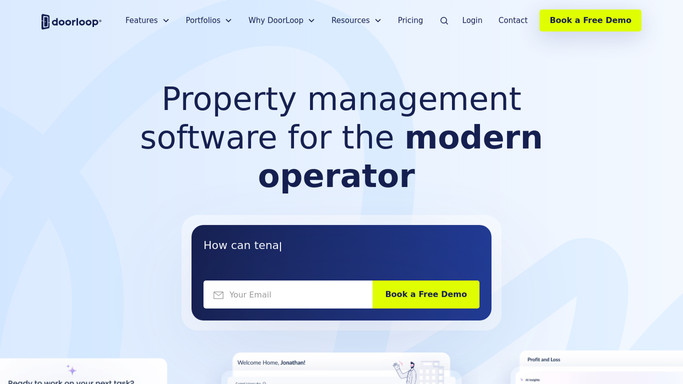
WebRun opens DoorLoop to find leases ending soon. - Open DoorLoop and filter leases to those ending in the next 90 days
- Capture each tenant, unit, current rent, and lease end date
- Note any tenant already on a renewal or notice to vacate
Done when Every lease ending in the window has been captured with its details.
-
2
Gmail - draft renewal offers
gmail.com How to Automate Gmail

WebRun drafts a renewal offer for each expiring lease. - Draft a renewal offer to each tenant with the proposed term and rent
- Keep the tone warm and on-brand for your properties
- Leave every email as a draft for you to review. Never send automatically
Done when A renewal offer draft is ready for each expiring lease.
-
3
Slack - report who to renew
slack.com How to Automate Slack

WebRun posts the renewal action list to Slack. - Post a list of leases ending soon and their proposed renewal
- Put the nearest end dates first with the current rent shown
- Leave it for you to review, adjust rent, and send each offer
Done when You have this week's renewal action list in Slack.
How is each run configured?
Secure by default
Connect once, stays signed in
WebRun signs in once and keeps each session in a persistent environment, so every run picks up right where it left off.
Every action is checked against this policy before it runs.
Questions, answered
Will it send renewal offers without me?
No. Each offer is left as a Gmail draft for you to review. You set or adjust the rent and send it yourself, so no tenant gets an offer you have not approved.
How does it decide the new rent?
It carries the current rent from DoorLoop into the draft as a starting point. You set the actual increase, so the final number is always your call before anything is sent.
How far ahead does it look?
By default it finds leases ending in the next 90 days, so you have time to renew good tenants before they start looking elsewhere. Nearest end dates are listed first.
Related templates
Put this on autopilot.
Turn it on in minutes - or have our team set it up for you.