Turn happy patients into reviews
Every morning, WebRun checks Weave for patients who completed their final post-op appointment, drafts a personalized review request message for each, posts the drafts to Slack for your coordinator to approve, and checks Google Business for any new reviews to flag for your team.
- No credit card
- Under $0.01 per run
- Cancel anytime
How do I automatically request Google reviews from happy plastic surgery patients?
Every morning, WebRun checks Weave for patients who completed their final post-op visit, drafts a personalized Google Business review request for each, and posts all drafts to Slack for coordinator approval before sending. It also monitors Google Business for new reviews and surfaces them in Slack so your team can respond quickly.
- Post-op patients are asked for a review at the ideal moment
- Every review request is approved by your team before sending
- New Google reviews are surfaced in Slack for fast response
Built for plastic surgery practices · cosmetic surgeons · aesthetic clinics · practice managers
What does WebRun do on every run?
The exact actions WebRun takes, in order - in plain language, so you can adjust anything.
-
WebRun signs in and gets to work
Opens
app.getweave.comin a real browser with your saved login - no setup, no API keys. -
1
Weave - find patients who completed post-op follow-up
getweave.com
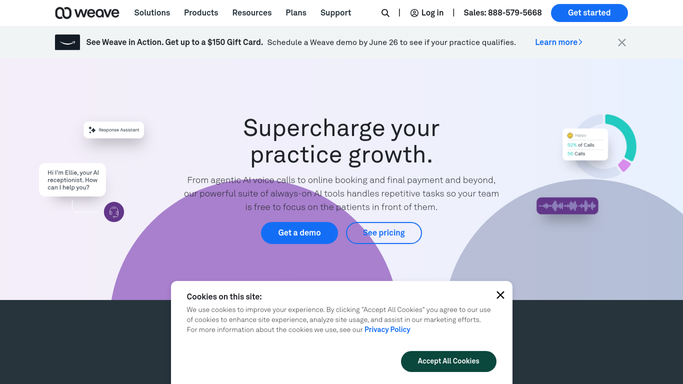
WebRun opens Weave to find patients who completed post-op follow-up. - Open Weave and check for patients whose final post-op follow-up appointment was completed in the last 24 hours
- Collect each patient's name, contact info, procedure, and treating physician
- Skip any patient who has already received a review request
Done when All patients who completed their post-op follow-up in the last 24 hours are identified.
-
2
Google Business - draft review requests and monitor new reviews
business.google.com How to Automate Google Business

WebRun opens Google Business to draft review requests and monitor new reviews. - Draft a warm, personalized review request message for each patient referencing their positive experience
- Include a direct link to your Google Business review page
- Check Google Business for any new reviews posted since the last run and note the star rating and content
Done when Draft review requests are prepared for each eligible patient and new reviews are captured.
-
3
Slack - post drafts and review alerts for coordinator
slack.com How to Automate Slack

WebRun opens Slack to post drafts and review alerts for coordinator. - Post all draft review request messages to the coordinator Slack channel for approval before sending
- List each patient name, procedure, and the exact draft message text
- Post a separate notification for any new Google reviews, including the star rating and a short excerpt
Done when Coordinator has draft review requests and any new review alerts in Slack.
How is each run configured?
Secure by default
Connect once, stays signed in
WebRun signs in once and keeps each session in a persistent environment, so every run picks up right where it left off.
Every action is checked against this policy before it runs.
Questions, answered
Will it send review request messages to patients without approval?
No. Every review request message is drafted and held in Slack for your coordinator to approve before sending. WebRun never contacts a patient without explicit human sign-off.
How does it decide which patients to ask for a review?
It targets patients who completed their final post-op follow-up appointment in the last 24 hours, catching them when their experience is fresh and they are most likely to leave a positive review.
What does it do with new reviews that come in?
WebRun monitors your Google Business profile each run and posts an alert to Slack for any new review, so your team can respond promptly to both positive feedback and concerns.
Related templates
Put this on autopilot.
Turn it on in minutes - or have our team set it up for you.