Reactivate past patients for new procedures
Every Monday, WebRun opens PatientNow to find patients whose last visit was 18 or more months ago, logs the lapsed patient list to Google Sheets with their last procedure and contact details, and drafts a personalized reactivation email campaign in Mailchimp for your coordinator to review and approve before any email is sent.
- No credit card
- Under $0.01 per run
- Cancel anytime
How do I automatically run a patient reactivation campaign for lapsed plastic surgery patients?
Every Monday, WebRun scans PatientNow for patients who have not visited in 18 or more months, logs the lapsed list with procedure history to Google Sheets, and drafts a personalized reactivation email campaign in Mailchimp. The campaign is held for your coordinator to review and approve before any email reaches a patient.
- Lapsed patients receive a personalized, timely reactivation offer
- Marketing opt-outs are automatically excluded from every campaign
- Reactivation history is tracked in Google Sheets to avoid duplicate outreach
Built for plastic surgery practices · cosmetic surgery marketing teams · practice managers · aesthetic clinic owners
What does WebRun do on every run?
The exact actions WebRun takes, in order - in plain language, so you can adjust anything.
-
WebRun signs in and gets to work
Opens
app.patientnow.comin a real browser with your saved login - no setup, no API keys. -
1
PatientNow - find patients inactive for 18 or more months
patientnow.com How to Automate PatientNow
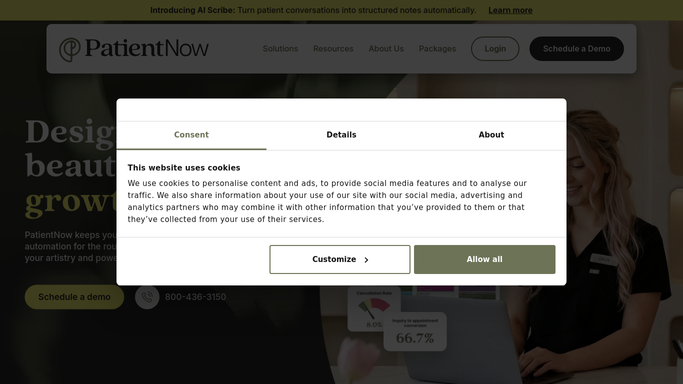
WebRun opens PatientNow to find patients inactive for 18 or more months. - Open PatientNow and filter for patients whose last appointment was 18 or more months ago
- Exclude patients who have opted out of marketing communications
- Collect each patient's name, email, last procedure, last visit date, and any procedure interests noted in their record
Done when All lapsed patients who are eligible for reactivation marketing are identified with their history.
-
2
Google Sheets - log lapsed patient list with procedure history
google.com How to Automate Google Sheets

WebRun opens Google Sheets to log lapsed patient list with procedure history. - Open the patient reactivation tracking Google Sheet
- Append the new lapsed patient list with name, email, last procedure, last visit date, and reactivation campaign status
- Mark any patients already in a prior campaign so they are not contacted twice
Done when The lapsed patient list is logged in Google Sheets with deduplication against prior campaigns.
-
3
Mailchimp - draft reactivation email campaign for approval
mailchimp.com How to Automate Mailchimp

WebRun opens Mailchimp to draft reactivation email campaign for approval. - Draft a reactivation email campaign in Mailchimp targeting the new lapsed patient segment
- Personalize the subject line and body to reference the patient's last procedure and invite them to explore new treatments
- Save the campaign as a draft and leave it unsent pending coordinator review and approval
Done when A draft reactivation email campaign is ready in Mailchimp for coordinator approval.
How is each run configured?
Secure by default
Connect once, stays signed in
WebRun signs in once and keeps each session in a persistent environment, so every run picks up right where it left off.
Every action is checked against this policy before it runs.
Questions, answered
Will it send reactivation emails to patients without my approval?
No. The Mailchimp campaign is saved as a draft and held for your coordinator to review before any email is sent. WebRun never contacts a patient without explicit human approval.
How does it handle patients who opted out of marketing?
WebRun checks the marketing opt-out flag in PatientNow before building the list and excludes any patient who has opted out, so your campaign stays compliant without manual filtering.
Can it personalize the campaign by last procedure?
Yes. The draft Mailchimp email references each patient's last procedure and suggests related treatments they might be interested in. More specific personalization can be configured during setup.
Related templates
Put this on autopilot.
Turn it on in minutes - or have our team set it up for you.