Turn scraped leads into a clean list and ready outreach
Every morning, WebRun opens PhantomBuster, pulls the results from the latest automation run, checks each lead against the Google Sheet master list to remove anything already captured, syncs the genuinely new leads into the sheet, and drafts a short outreach email in Gmail for each new unique lead for a rep to review and send.
- No credit card
- Under $0.01 per run
- Cancel anytime
How do I turn PhantomBuster scraped leads into clean, ready outreach?
Every morning, WebRun opens PhantomBuster, pulls the results from the latest automation run, and checks each lead against the Google Sheet master list to remove duplicates. It syncs the genuinely new leads into the sheet and drafts a short outreach email in Gmail for each one, so a scraping run turns into a clean list and ready to review outreach, not just raw rows.
- Every run adds only genuinely new leads, never duplicates
- Outreach drafts are ready the same morning a run completes
- Incomplete rows get flagged instead of silently polluting the list
Built for growth teams · SDR teams · agencies · demand generation
What does WebRun do on every run?
The exact actions WebRun takes, in order - in plain language, so you can adjust anything.
-
WebRun signs in and gets to work
Opens
phantombuster.comin a real browser with your saved login - no setup, no API keys. -
1
PhantomBuster - pull the latest automation run's results
phantombuster.com
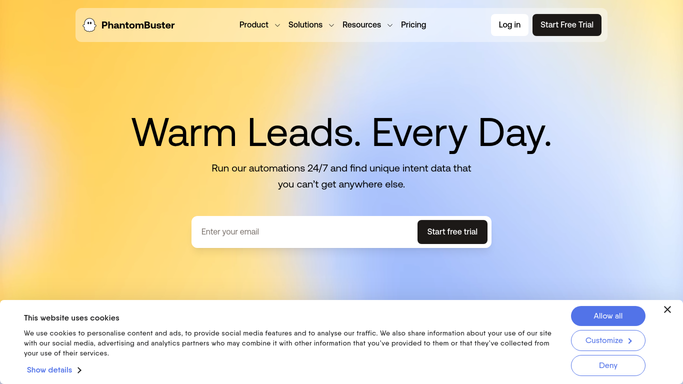
WebRun opens PhantomBuster to pull the latest automation run's results. - Open PhantomBuster and pull the results from the latest completed run
- Note the source and captured details for each lead
- Flag any row missing an email or name
Done when The latest run's results have been pulled with any incomplete rows flagged.
-
2
Google Sheets - sync new leads into the master list
google.com How to Automate Google Sheets

WebRun opens Google Sheets to sync new leads into the master list. - Check each new lead against the master list for a duplicate
- Add only genuinely new leads to the master list
- Leave existing rows untouched
Done when The master list in Sheets reflects only new, deduplicated leads from this run.
-
3
Gmail - draft outreach for new unique leads
gmail.com How to Automate Gmail

WebRun opens Gmail to draft outreach for new unique leads. - Draft a short, personalized outreach email for each new unique lead
- Reference the source the lead was found through
- Save every message as a draft and leave it unsent for review
Done when A ready to send outreach draft sits in Gmail for every new unique lead.
How is each run configured?
Secure by default
Connect once, stays signed in
WebRun signs in once and keeps each session in a persistent environment, so every run picks up right where it left off.
Every action is checked against this policy before it runs.
Questions, answered
Will it email these leads without me?
No. WebRun only drafts the outreach email in Gmail and leaves it unsent. A rep reviews and personalizes every message before deciding whether to send it.
How does it avoid duplicate leads?
It checks every new lead from the run against the existing master list in Sheets before adding it, so a lead already captured in a previous run will not be added again.
What happens to incomplete rows from the automation?
Rows missing an email or name are flagged rather than silently synced, so incomplete data does not quietly pollute the master list.
Related templates
Put this on autopilot.
Turn it on in minutes - or have our team set it up for you.