Start every clinic day with a complete schedule digest
Each morning, WebRun opens Jane and compiles the full day's pediatric therapy schedule, organized by therapist with appointment times, patient names, therapy types, and any outstanding items such as missing intake forms or expired authorizations, logs the digest to Google Sheets, and posts a ready-to-read summary to Slack so the clinical and front-desk teams start the day fully informed.
- No credit card
- Under $0.01 per run
- Cancel anytime
How do I automatically create a daily schedule digest for a pediatric therapy clinic?
WebRun pulls the full pediatric therapy schedule from Jane each morning, organizes it by therapist with appointment details and flagged outstanding items such as missing forms or expired authorizations, logs it to Google Sheets, and posts a complete day digest to Slack so every team member starts the day aligned.
- Every staff member starts the day with a complete, organized schedule in Slack before the first child arrives
- Outstanding items such as missing forms or expired authorizations are surfaced before the appointment, not during it
- Schedule data is logged to Google Sheets for reference and capacity tracking
Built for pediatric therapy clinic managers · pediatric therapy front-desk staff · pediatric therapy clinical teams · multi-discipline pediatric therapy centers
What does WebRun do on every run?
The exact actions WebRun takes, in order - in plain language, so you can adjust anything.
-
WebRun signs in and gets to work
Opens
jane.appin a real browser with your saved login - no setup, no API keys. -
1
Jane - pull today's full appointment schedule
jane.app How to Automate Jane
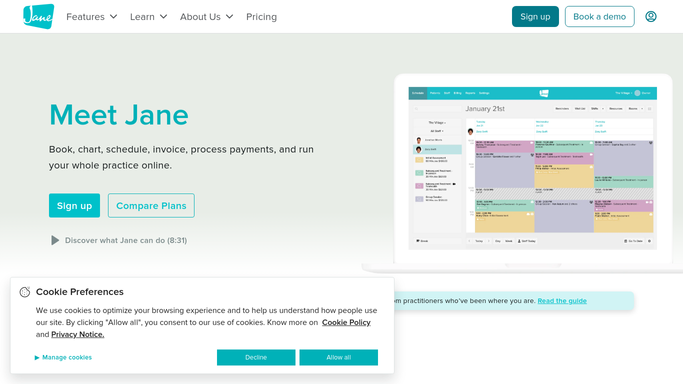
WebRun opens Jane to pull today's full appointment schedule. - Open Jane and navigate to today's schedule view
- Collect all appointments grouped by therapist, including child name, appointment time, therapy type, and session notes
- Identify any outstanding items for today's patients: missing intake forms, expired authorizations, or unpaid balances
- Note any schedule gaps or blocked-off times that could be filled
Done when Today's full schedule is compiled by therapist with all appointment details and outstanding items flagged.
-
2
Google Sheets - log schedule digest and flag outstanding items
google.com How to Automate Google Sheets

WebRun opens Google Sheets to log schedule digest and flag outstanding items. - Open the daily schedule log Google Sheet
- Append today's schedule data as a new set of rows, one per appointment
- Mark rows with outstanding items in a status column
- Update the summary tab with today's total appointment count and open-slot count
Done when Today's schedule is logged to Google Sheets with outstanding items flagged for reference.
-
3
Slack - post therapist-by-therapist day digest
slack.com How to Automate Slack

WebRun opens Slack to post therapist-by-therapist day digest. - Post the daily schedule digest to the all-staff or clinical team Slack channel
- Organize by therapist with appointment times and any flagged items
- Lead with any urgent items such as missing intake forms or expired authorizations that need same-day resolution
- Include the total appointment count and any open slots for the day
Done when All staff have today's complete schedule digest in Slack before the first appointment.
How is each run configured?
Secure by default
Connect once, stays signed in
WebRun signs in once and keeps each session in a persistent environment, so every run picks up right where it left off.
Every action is checked against this policy before it runs.
Questions, answered
Does it contact patients or families as part of the daily digest?
No. The daily schedule digest is entirely internal. It posts to Slack and logs to Google Sheets for staff use only. No information is sent to families or external parties as part of this workflow.
Can it flag missing intake forms or expired authorizations in the digest?
Yes. WebRun cross-checks each patient on today's schedule against their intake form status and authorization dates in Jane and flags any outstanding items directly in the Slack digest so staff can resolve them before the appointment.
What if the schedule changes after the digest is posted?
The digest reflects the schedule at the time it runs each morning. Staff can re-run it manually or rely on Jane's own notifications for real-time changes that occur after the morning digest is posted.
Related templates
Put this on autopilot.
Turn it on in minutes - or have our team set it up for you.