Book siblings into back-to-back slots for one parent trip
Every morning, WebRun opens Oryx Dental, finds families where two or more children are due or overdue for a visit, searches Google Calendar for adjacent open slots with the right providers, and drafts one Twilio text per family offering a back-to-back appointment for your front desk to approve.
- No credit card
- Under $0.01 per run
- Cancel anytime
How do I automatically schedule siblings into back-to-back dental appointments?
WebRun reviews Oryx Dental every morning for families where two or more children are due for care, then searches Google Calendar for adjacent open slots with the right providers. It drafts one Twilio text per family offering a back-to-back visit, so parents make a single trip and your front desk approves each offer before it sends.
- Parents book one trip instead of two for their children
- Adjacent slots get filled instead of sitting open
- No family is offered or booked a time without front-desk approval
Built for pediatric dentists · dental schedulers · family dental practices · pediatric practice managers
What does WebRun do on every run?
The exact actions WebRun takes, in order - in plain language, so you can adjust anything.
-
WebRun signs in and gets to work
Opens
portal.oryxdental.comin a real browser with your saved login - no setup, no API keys. -
1
Oryx Dental - find families with siblings due
oryxdental.com How to Automate Oryx Dental
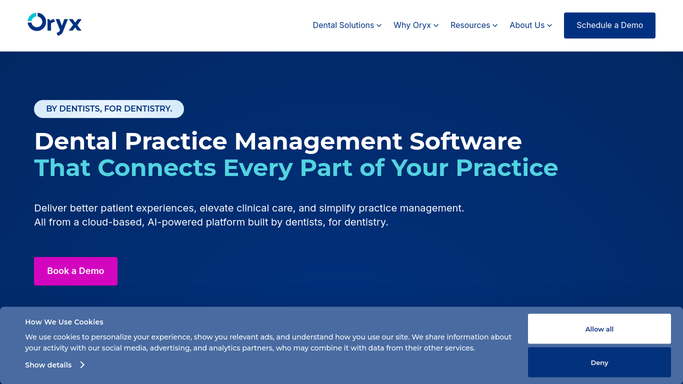
WebRun opens Oryx Dental to find families with siblings due. - Open Oryx Dental and list children who are due or overdue for a recall or hygiene visit
- Group them by guardian so families with two or more children in need are grouped together
- Note each child's provider type, whether hygiene or exam, and any age-specific flags on the chart
- Skip families where a future appointment is already booked for every child
Done when Every family with two or more children due is listed with each child's visit type.
-
2
Google Calendar - find adjacent open slots
calendar.google.com How to Automate Google Calendar

WebRun opens Google Calendar to find adjacent open slots. - Open the practice Google Calendar and look for adjacent open slots that fit both children
- Prefer consecutive times with the same or neighboring operatory so the parent waits once
- Match each slot to the right provider for that child's visit type
- Record two or three back-to-back options per family
Done when Each family has adjacent slot options that cover all their due children.
-
3
Twilio - draft one back-to-back offer per family
twilio.com How to Automate Twilio

WebRun opens Twilio to draft one back-to-back offer per family. - Draft one friendly text per guardian offering the back-to-back options for all their children in a single trip
- Use each child's first name only and keep the tone warm and brief
- Save every text as a draft in Twilio. Do not send any message to a guardian automatically
- List the drafts so the front desk can confirm the holds and release the offers
Done when One back-to-back offer text is drafted per family and queued for front-desk approval.
How is each run configured?
Secure by default
Connect once, stays signed in
WebRun signs in once and keeps each session in a persistent environment, so every run picks up right where it left off.
Every action is checked against this policy before it runs.
Questions, answered
Will it book or text families on its own?
No. WebRun drafts each offer text in Twilio and lists the slot options, but your front desk confirms the holds and sends the message. Nothing is booked or texted to a guardian without a person releasing it.
How does it know which children belong to one family?
It groups patients by the guardian on file in Oryx Dental, so children sharing a parent or guardian contact are offered a single combined visit rather than separate ones.
What if only one adjacent slot is free?
It offers whatever consecutive options exist and notes when a true back-to-back is not available, so your scheduler can decide whether to hold nearby times or split the visit across two days.
Related templates
Put this on autopilot.
Turn it on in minutes - or have our team set it up for you.