Get a daily digest of payments received
Every morning, WebRun checks Paystand for payments that landed the day before, logs each one to Airtable, and emails you the daily total so you always know what came in.
- No credit card
- Under $0.01 per run
- Cancel anytime
How do I get a daily summary of Paystand payments received?
WebRun checks Paystand every morning for payments received the day before, logs each one to an Airtable ledger with payer, amount, and method, and emails you a short summary of the daily total and count. Payments still processing are flagged separately, so you always know what actually landed versus what's still on the way.
- Yesterday's payments are summarized before you open your inbox
- A running Airtable ledger replaces manually checking Paystand
- Processing payments are flagged separately from settled ones
Built for finance teams · B2B businesses · controllers · AR analysts
What does WebRun do on every run?
The exact actions WebRun takes, in order - in plain language, so you can adjust anything.
-
WebRun signs in and gets to work
Opens
paystand.comin a real browser with your saved login - no setup, no API keys. -
1
Paystand - check payments received through Paystand
paystand.com
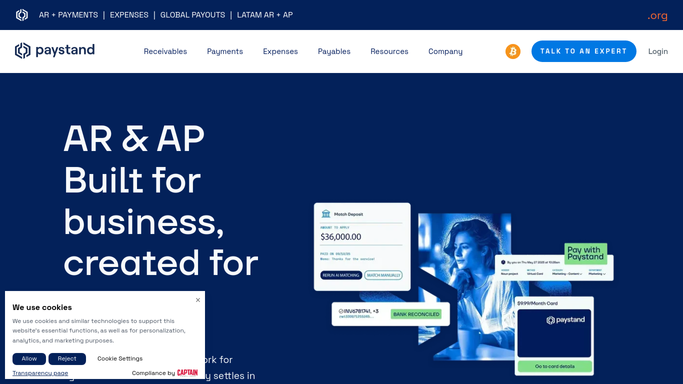
WebRun opens Paystand to check payments received through Paystand. - Open Paystand and list payments received in the last 24 hours
- Note the payer, amount, and payment method for each
- Total the day's payments
Done when Every payment received yesterday is listed with its details.
-
2
Airtable - log each to Airtable
airtable.com How to Automate Airtable

WebRun opens Airtable to log each to Airtable. - Log each payment with payer, amount, method, and date
- Update the running monthly total
- Flag any payment method that failed or is still processing
Done when The Airtable payments log matches yesterday's activity.
-
3
Gmail - email you the daily total
gmail.com How to Automate Gmail

WebRun opens Gmail to email you the daily total. - Send yourself a short summary of yesterday's total received and the payment count
- Note any payment still processing
- Send only to your own inbox
Done when Your inbox has this morning's payments summary.
How is each run configured?
Secure by default
Connect once, stays signed in
WebRun signs in once and keeps each session in a persistent environment, so every run picks up right where it left off.
Every action is checked against this policy before it runs.
Questions, answered
Does it process or move any payments?
No. It only reads payments that have already landed in Paystand and reports on them. It never initiates or moves money.
Who receives the summary email?
Only your own inbox. It's an internal digest, not sent to a customer or payer.
What happens to a payment still processing?
It's flagged as processing in Airtable, and the next run updates it once Paystand shows it settled.
Related templates
Put this on autopilot.
Turn it on in minutes - or have our team set it up for you.