Surface stalled orthodontic insurance claims before they age
Every Monday, WebRun opens topsOrtho, pulls all open insurance claims that have been outstanding beyond your threshold, logs each claim to a Google Sheet worklist for the billing team, and posts a summary to Slack so no claim ages past the follow-up window.
- No credit card
- Under $0.01 per run
- Cancel anytime
How do I automatically track aging orthodontic insurance claims?
Every Monday, WebRun opens topsOrtho, finds insurance claims outstanding beyond 30 days with no payment or denial, and logs each to a Google Sheets worklist for the billing team. A Slack summary with the count and total billed value is posted so the team can prioritize follow-ups before claims age further.
- Aging claims are surfaced every week before the follow-up window closes
- Billing staff start Monday with a prioritized worklist rather than running reports manually
- No claim is filed or resubmitted without billing team review
Built for orthodontic billing coordinators · orthodontic practices · ortho office managers · dental billing teams
What does WebRun do on every run?
The exact actions WebRun takes, in order - in plain language, so you can adjust anything.
-
WebRun signs in and gets to work
Opens
topsortho.comin a real browser with your saved login - no setup, no API keys. -
1
topsOrtho - pull aging open claims
topsortho.com
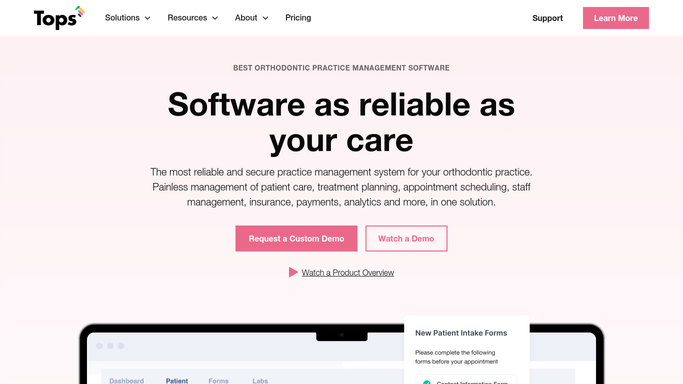
WebRun opens topsOrtho to pull aging open claims. - Open topsOrtho and navigate to the insurance claims report
- Filter for claims submitted more than 30 days ago with no payment or denial on file
- Capture patient name, claim number, payer, submitted date, and billed amount for each
Done when Every aging open claim is listed with its details and days outstanding.
-
2
Google Sheets - log claim worklist
google.com How to Automate Google Sheets

WebRun opens Google Sheets to log claim worklist. - Open the billing team's insurance worklist in Google Sheets
- Append each aging claim as a new row with all captured details
- Mark the run date so the team can see when the list was last refreshed
Done when All aging claims are logged in the Google Sheet worklist with today's date.
-
3
Slack - alert billing team
slack.com How to Automate Slack

WebRun opens Slack to alert billing team. - Post a message to the billing Slack channel with the count of aging claims and total billed value
- Include a link to the Google Sheet worklist
Done when The billing team has a Slack alert and a direct link to the full worklist.
How is each run configured?
Secure by default
Connect once, stays signed in
WebRun signs in once and keeps each session in a persistent environment, so every run picks up right where it left off.
Every action is checked against this policy before it runs.
Questions, answered
Does it file or resubmit claims on its own?
No. WebRun only reads claim data and logs it to a worklist. Filing, resubmitting, or appealing a claim is always done by the billing team after reviewing the list.
How does it define a claim as aging?
It flags claims submitted more than 30 days ago with no payment, denial, or pending response recorded in topsOrtho. You can adjust the threshold to match your payer mix.
What if a claim was paid but not yet posted in the system?
WebRun reads the live status in topsOrtho each run. If a payment was posted before the run, that claim is excluded. Staff should always verify status directly before following up with a payer.
Related templates
Put this on autopilot.
Turn it on in minutes - or have our team set it up for you.