Hand off delegated OmniFocus tasks the right way
Every morning, WebRun checks OmniFocus for tasks tagged as delegated that haven't been handed off yet, drafts a Gmail email for each one with the task's details addressed to the assignee, and logs the handoff in Airtable once drafted.
- No credit card
- Under $0.01 per run
- Cancel anytime
How do I hand off delegated OmniFocus tasks to teammates?
Every morning, WebRun checks OmniFocus for tasks tagged as delegated that haven't been handed off yet, drafts a Gmail email for each one with the task's details addressed to the assignee, and logs the handoff in Airtable once drafted, so the same task never gets drafted twice and nothing waits unsent.
- Delegated tasks get a drafted handoff the same morning they're tagged
- Nothing is emailed to a teammate without a human review first
- The Airtable log stops the same task from being drafted twice
Built for consultants · founders · executive assistants · independent professionals
What does WebRun do on every run?
The exact actions WebRun takes, in order - in plain language, so you can adjust anything.
-
WebRun signs in and gets to work
Opens
www.omnigroup.com/omnifocusin a real browser with your saved login - no setup, no API keys. -
1
OmniFocus - find tasks tagged as delegated
omnigroup.com
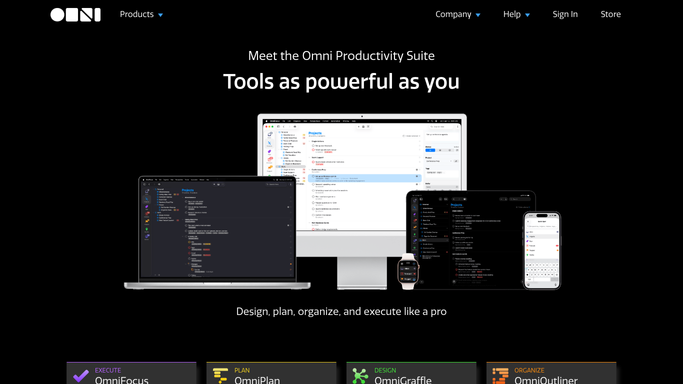
WebRun opens OmniFocus to find tasks tagged as delegated. - Open the Waiting or Delegated perspective
- Read every task tagged as delegated with no logged handoff yet
- Capture the task, project, and who it's assigned to
Done when Every newly delegated task is listed with its project and assignee.
-
2
Gmail - draft the handoff email
gmail.com How to Automate Gmail

WebRun opens Gmail to draft the handoff email. - Draft a handoff email for each new delegated task
- Include the task details and context
- Leave every draft unsent. WebRun never emails an assignee on its own
Done when A ready-to-send handoff email draft exists for every new delegated task.
-
3
Airtable - log the handoff
airtable.com How to Automate Airtable

WebRun opens Airtable to log the handoff. - Open the Delegated Tasks table
- Log each handoff with the task, assignee, and date drafted
- Use this log to skip tasks already handed off
Done when Every delegated task from today is logged in Airtable.
How is each run configured?
Secure by default
Connect once, stays signed in
WebRun signs in once and keeps each session in a persistent environment, so every run picks up right where it left off.
Every action is checked against this policy before it runs.
Questions, answered
Does it email the assignee automatically?
No. It only drafts the handoff email in Gmail and leaves it unsent. You review and send it yourself.
How does it know a task has already been handed off?
It checks the Airtable log before drafting, so a task already logged is not drafted again the next day.
Does it change anything in OmniFocus?
No. It only reads tasks tagged as delegated. Tagging, reassigning, or completing a task is left to you.
Related templates
Put this on autopilot.
Turn it on in minutes - or have our team set it up for you.