Get the schedule published on time, every time
Every Monday, WebRun checks ShiftWizard for the schedule due to publish under your facility's policy, for example 14 days before the period starts, creates or updates a Google Calendar hold for the scheduler with the exact deadline, and posts unit managers a Microsoft Teams reminder if the schedule is still in draft.
- No credit card
- Under $0.01 per run
- Cancel anytime
How do I make sure the nurse schedule publishes on time every period?
Every Monday, WebRun checks ShiftWizard for the schedule due to publish under your facility's policy, such as 14 days before the period starts, and confirms whether it is still in draft. It creates a Google Calendar hold marking the deadline and posts unit managers a Microsoft Teams reminder, so no schedule slips past its notice requirement.
- The publish deadline sits on the scheduler's calendar automatically every period
- Unit managers get a standing reminder until their schedule is confirmed published
- Notice-policy misses get caught before they become a compliance issue
Built for nurse schedulers · unit managers · staffing office coordinators · hospital HR compliance teams
What does WebRun do on every run?
The exact actions WebRun takes, in order - in plain language, so you can adjust anything.
-
WebRun signs in and gets to work
Opens
www.healthstream.comin a real browser with your saved login - no setup, no API keys. -
1
ShiftWizard - check publish status against policy
healthstream.com How to Automate ShiftWizard
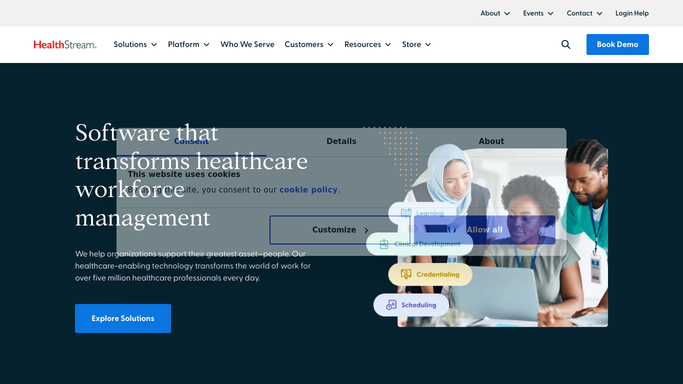
WebRun opens ShiftWizard to check publish status against policy. - Open ShiftWizard and check the status of the upcoming schedule period against your publish-by policy
- Note how many days remain until the policy deadline and whether the schedule is still in draft
- List which units still have open, unassigned, or unapproved shifts
Done when The upcoming schedule period's publish status and days remaining are confirmed.
-
2
Google Calendar - hold the publish deadline
calendar.google.com How to Automate Google Calendar

WebRun opens Google Calendar to hold the publish deadline. - Create or update a calendar hold on the scheduler's calendar for the exact publish deadline
- Add the units still in draft to the event description
- Clear the hold automatically once ShiftWizard shows the schedule published
Done when The scheduler's calendar shows an accurate publish-deadline hold with draft units listed.
-
3
Microsoft Teams - remind unit managers
microsoft.com How to Automate Microsoft Teams

WebRun opens Microsoft Teams to remind unit managers. - Post a reminder to the unit manager channel naming which units are still in draft and how many days remain
- Repeat the reminder weekly until the schedule is published
- Stop reminders automatically once the schedule is confirmed published
Done when Unit managers have a weekly Teams reminder until their schedule is published.
How is each run configured?
Secure by default
Connect once, stays signed in
WebRun signs in once and keeps each session in a persistent environment, so every run picks up right where it left off.
Every action is checked against this policy before it runs.
Questions, answered
Does it publish the schedule itself?
No. WebRun only reminds. Publishing the schedule in ShiftWizard, with all the judgment that takes, stays a decision for the scheduler or unit manager.
What counts as the publish-by policy?
Whatever your facility sets, commonly 14 days before the period starts under many union or state notice requirements. You tell WebRun your policy window once and it checks every unit against it.
Does every unit get reminded the same way?
Only units still in draft get a reminder. Once ShiftWizard shows a unit's schedule published, it drops off the weekly Teams reminder automatically.
Related templates
Put this on autopilot.
Turn it on in minutes - or have our team set it up for you.