Follow up on open plant quotes for you
Every morning, WebRun opens QuickBooks, finds plant quotes with no reply for several days, checks in Agriware 365 that the quoted varieties are still available to sell, and drafts a warm follow-up email in Gmail for each customer, left unsent for you to review.
- No credit card
- Under $0.01 per run
- Cancel anytime
How do I follow up on open plant quotes automatically?
WebRun follows up on your quiet plant quotes every morning. It opens QuickBooks, finds quotes with no reply past your follow-up window, confirms the quoted varieties are still available to sell in Agriware 365, and drafts a warm follow-up email in Gmail for each customer, left unsent so you review and send it yourself.
- Quiet quotes get a timely, personal nudge instead of going cold
- Every follow-up is checked against live sellable stock first
- Reps approve drafts rather than writing each chase by hand
Built for nursery growers · wholesale nursery sales teams · plant brokers · greenhouse sales
What does WebRun do on every run?
The exact actions WebRun takes, in order - in plain language, so you can adjust anything.
-
WebRun signs in and gets to work
Opens
quickbooks.intuit.comin a real browser with your saved login - no setup, no API keys. -
1
QuickBooks - find quiet quotes
- Open QuickBooks and filter estimates to open and unaccepted
- Capture quotes with no acceptance after the follow-up window you set
- Note the customer, varieties quoted, quantities, and quote total
Done when Every open quote past its follow-up window is captured with its details.
-
2
Agriware 365 - confirm stock is still sellable
mprise-agriware.com How to Automate Agriware 365
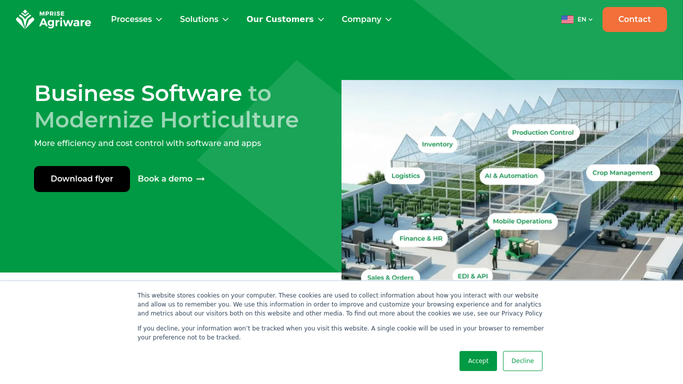
WebRun opens Agriware 365 to confirm stock is still sellable. - Look up each quoted variety and size in Agriware 365 available-to-sell
- Confirm there is still enough sellable stock to honor the quote
- Note anything now short so the follow-up can suggest an alternative
Done when Each quiet quote is checked against current sellable stock.
-
3
Gmail - draft a follow-up email
gmail.com How to Automate Gmail

WebRun opens Gmail to draft a follow-up email. - Draft a warm, on-brand follow-up email for each customer referencing their quote
- Confirm availability, or suggest an alternative if a variety is now short
- Leave every email unsent as a draft for you to review and send
Done when A follow-up email is drafted for every quiet quote, ready for your review.
How is each run configured?
Secure by default
Connect once, stays signed in
WebRun signs in once and keeps each session in a persistent environment, so every run picks up right where it left off.
Every action is checked against this policy before it runs.
Questions, answered
Will it email customers without me?
No. WebRun drafts each follow-up in Gmail and leaves it unsent, so you review and send it yourself. No customer is contacted without your approval.
Does it check the plants are still available?
Yes. Before drafting, WebRun confirms each quoted variety is still available to sell in Agriware 365, and if something is now short it has the draft suggest an alternative instead.
What if the customer already accepted?
It reads the live estimate status in QuickBooks each morning, so any quote that has been accepted or closed is skipped and never gets a follow-up.
Related templates
Put this on autopilot.
Turn it on in minutes - or have our team set it up for you.