Get a weekly travel and expense scorecard
Every week, WebRun totals travel and expense claims in Notilus by department, logs the scorecard to Notion, and exports the full detail to a Google Sheet.
- No credit card
- Under $0.01 per run
- Cancel anytime
How do I get a weekly scorecard of Notilus travel and expense claims?
WebRun totals last week's Notilus travel and expense claims by department every Monday, updates a Notion dashboard with the scorecard and week over week change, and exports every individual claim to a Google Sheet that builds into a running history. The largest single claim each week is called out separately so it never gets buried in a total.
- Department spend is visible every Monday without pulling a report
- The largest claim each week is never buried in a total
- A running claim by claim history builds automatically in Sheets
Built for finance teams · department heads · travel administrators · European businesses
What does WebRun do on every run?
The exact actions WebRun takes, in order - in plain language, so you can adjust anything.
-
WebRun signs in and gets to work
Opens
notilus.comin a real browser with your saved login - no setup, no API keys. -
1
Notilus - total this week's travel and expense claims
notilus.com
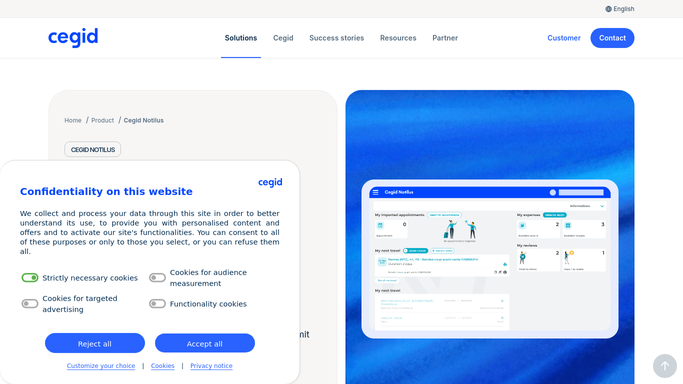
WebRun opens Notilus to total this week's travel and expense claims. - Open Notilus and pull last week's submitted travel and expense claims
- Group the total by department
- Note the largest single claim
Done when Last week's claims are totaled by department.
-
2
Notion - log the scorecard to Notion
notion.so How to Automate Notion

WebRun opens Notion to log the scorecard to Notion. - Update the finance dashboard page with this week's totals by department
- Note the change versus the previous week
- Call out the largest single claim
Done when The Notion dashboard reflects this week's scorecard.
-
3
Google Sheets - export the detail to Sheets
google.com How to Automate Google Sheets

WebRun opens Google Sheets to export the detail to Sheets. - Export every individual claim to the detail sheet
- Include employee, department, amount, and category
- Append rather than overwrite so history builds up
Done when The sheet has a full row for every claim from the week.
How is each run configured?
Secure by default
Connect once, stays signed in
WebRun signs in once and keeps each session in a persistent environment, so every run picks up right where it left off.
Every action is checked against this policy before it runs.
Questions, answered
Does it approve any claims?
No. It only totals claims that are already submitted in Notilus. Approving or querying a claim is still done inside Notilus.
Does the sheet get overwritten each week?
No. Each week's claims are appended as new rows, so the sheet builds into a running history rather than replacing last week's data.
How is the largest claim chosen?
It's simply the single highest amount submitted that week, called out on the Notion dashboard so it doesn't get lost in the department totals.
Related templates
Put this on autopilot.
Turn it on in minutes - or have our team set it up for you.