Chase returned document packages before they go overdue
Every morning, WebRun scans Snapdocs for completed signings where the document package has not been marked returned, drafts a polite follow-up email to the assigned notary for your review, and posts an overdue list to Slack so your team can act fast.
- No credit card
- Under $0.01 per run
- Cancel anytime
How do I automatically follow up when notary document packages have not been returned?
WebRun checks Snapdocs every morning for completed signings where the document package has not been returned, drafts a polite follow-up email to each notary for your review, and posts an overdue list to Slack so your team can prioritize and act before title companies follow up with you.
- Overdue document returns are caught every morning before they escalate
- Notaries get a timely, professional follow-up without manual outreach
- Your ops team has a clear daily list of outstanding returns in Slack
Built for notary signing agencies · signing service managers · loan signing coordinators · title company ops teams
What does WebRun do on every run?
The exact actions WebRun takes, in order - in plain language, so you can adjust anything.
-
WebRun signs in and gets to work
Opens
app.snapdocs.comin a real browser with your saved login - no setup, no API keys. -
1
Snapdocs - find unreturned completed signings
snapdocs.com
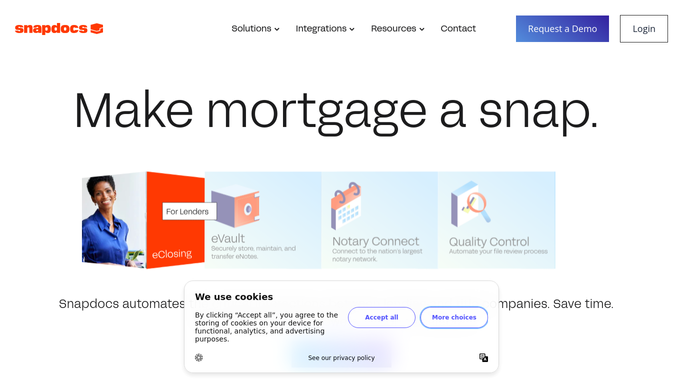
WebRun opens Snapdocs to find unreturned completed signings. - Open Snapdocs and filter for completed signings from the past 24 to 72 hours
- Identify orders where the document package has not been marked as returned or shipped
- Capture the notary name, order ID, title company, and hours since completion
Done when All overdue document returns are listed with notary and order details.
-
2
Gmail - draft follow-up to notary
gmail.com How to Automate Gmail

WebRun opens Gmail to draft follow-up to notary. - Draft a polite follow-up email to each notary whose package is not yet returned
- Include the order ID, signing date, and the expected return deadline
- Leave every draft unsent for your review before any message goes out
Done when A follow-up draft exists in Gmail for every notary with an outstanding return.
-
3
Slack - post overdue list to team
slack.com How to Automate Slack

WebRun opens Slack to post overdue list to team. - Post a summary list of all outstanding document returns to your ops channel
- Include order ID, notary name, signing date, and hours overdue for each
- Flag orders past your standard turnaround time in bold
Done when Your team has today's overdue-returns list in Slack.
How is each run configured?
Secure by default
Connect once, stays signed in
WebRun signs in once and keeps each session in a persistent environment, so every run picks up right where it left off.
Every action is checked against this policy before it runs.
Questions, answered
Will it send the follow-up emails to notaries automatically?
No. WebRun drafts each email and leaves it in Gmail for your review. You decide what goes out so no unintended messages are sent to your notary network.
How long after a signing does it wait before flagging an overdue return?
The turnaround window is set by you when you connect the workflow. A common default is 24 hours, but you can adjust it to match your title company requirements.
What if the package was already returned but not updated in Snapdocs?
It reads the live status in Snapdocs each morning. If the return is logged in Snapdocs before the run, the order is skipped automatically.
Related templates
Put this on autopilot.
Turn it on in minutes - or have our team set it up for you.