Keep your No-IP hostnames confirmed and active
Every Monday, WebRun opens No-IP, reads the confirmation deadline on every hostname, reconciles the list against your tracked devices in Airtable, and creates a Notion task only for hostnames due to expire within 7 days.
- No credit card
- Under $0.01 per run
- Cancel anytime
How do I make sure my No-IP hostnames stay confirmed and don't expire?
WebRun checks every hostname on your No-IP account each Monday, reading its confirmation deadline and reconciling it against your tracked devices in Airtable. It creates a Notion task only for hostnames due to expire within 7 days, so a dynamic DNS hostname never lapses and quietly breaks remote access to a device.
- Hostnames due to expire get caught a week ahead
- Every hostname gets reconciled against your tracked devices
- Only genuinely expiring hostnames create a Notion task
Built for IT admins · home lab operators · small business owners · remote device managers
What does WebRun do on every run?
The exact actions WebRun takes, in order - in plain language, so you can adjust anything.
-
WebRun signs in and gets to work
Opens
www.noip.comin a real browser with your saved login - no setup, no API keys. -
1
No-IP - check hostname confirmation status
noip.com
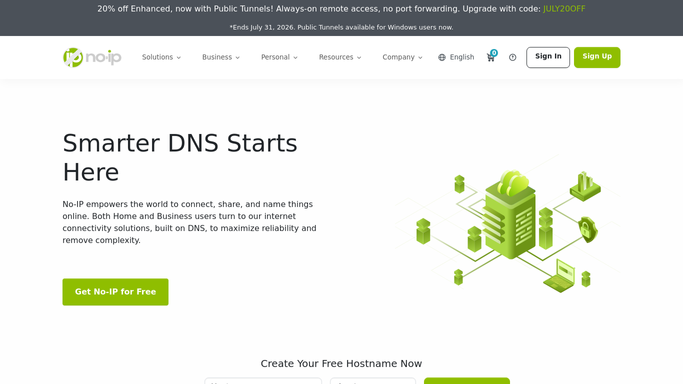
WebRun opens No-IP to check hostname confirmation status. - Open the No-IP account and review every hostname
- Read each one's confirmation deadline
- Flag any hostname due to expire within the next 7 days
Done when Every hostname has a current confirmation deadline on record.
-
2
Airtable - reconcile against tracked devices
airtable.com How to Automate Airtable

WebRun opens Airtable to reconcile against tracked devices. - Compare the hostname list against your tracked devices table
- Flag any hostname with no matching tracked device, and any tracked device whose hostname is missing
Done when Airtable matches the live No-IP hostname list.
-
3
Notion - create a task for expiring hostnames
notion.so How to Automate Notion

WebRun opens Notion to create a task for expiring hostnames. - Create a task for any hostname due to expire within 7 days
- Name the hostname and the device it points to
- Leave confirmed hostnames off the board
Done when A Notion task exists only for hostnames genuinely close to expiring.
How is each run configured?
Secure by default
Connect once, stays signed in
WebRun signs in once and keeps each session in a persistent environment, so every run picks up right where it left off.
Every action is checked against this policy before it runs.
Questions, answered
Will it confirm the hostname for me?
No. WebRun only checks confirmation deadlines and creates a task. Clicking the confirmation link always stays a step a person completes in No-IP.
Why does hostname confirmation matter?
Free No-IP hostnames need to be confirmed periodically or they expire and stop resolving, which can quietly break remote access to a device until someone notices.
Does it check every hostname on the account?
Yes. It reviews every hostname under the account each week, not just the ones you remember to check.
Related templates
Put this on autopilot.
Turn it on in minutes - or have our team set it up for you.